
































































Editors

Grease Pencil - Edit mode - Point menu
Extrude selected points and move them. The new points stay connected with the original points of the stroke.
Edit Mode - Point Menu
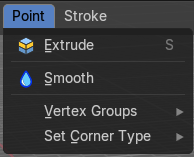
Extrude
Extrude selected points and move them. The new points stay connected with the original points of the stroke.
Extrude does not show in Select mode Stroke.
Last Operator Extrude Stroke Points
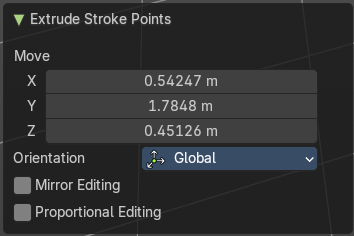
Move
The vector coordinates. They start relative to the initial vector.
Orientation
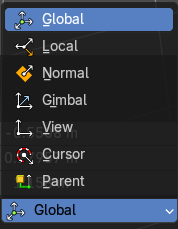
The orientation in which the extrude happens.
| Entry | What it does |
|---|---|
| Mirror Editing | — |
| Proportional editing | Enables proportional editing. Activating proportional editing reveals further settings. · Proportional Falloff: Adjust the falloff methods. · Proportional Size: See and adjust the falloff radius. · Connected: The proportional falloff gets calculated for connected parts only. · Projected(2D): The proportional falloff gets calculated in the screen space. Depth doesn't play a role. When it's in the radius, then it gets calculated. |
Smooth
Smoothens out the selected geometry.
Last Operator Smooth Stroke
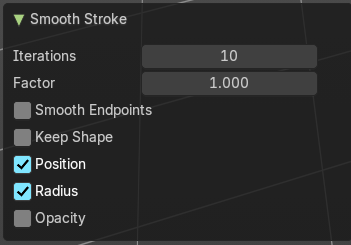
| Entry | What it does |
|---|---|
| Repeat | How often to repeat the procedure. |
| Factor | The amount of the smoothness to apply. |
| Selected points | When enabled, limits the effect to only the selected points within the stroke. |
| Position | When enabled, the operator affect the points location. |
| Thickness | When enabled, the operator affect the points thickness. |
| Strength | When enabled, the operator affect the points strength (alpha). |
| UV's | When enabled, the operator affect the UV rotation on the points. |
Vertex Groups

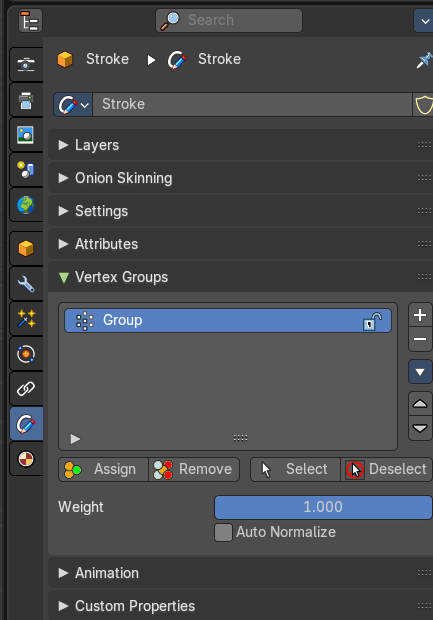
This menu contains just the Add New Group button.
Add New Group
Adds a new group.
Set Corner Type submenu
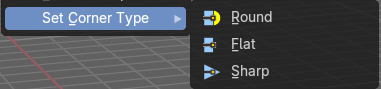
Sets the corner type of the selected corners to the methods round, flat or sharp.