Header
The 3D View editor is the editor where you edit your 3D data. Here you can display and modify all the scene data like meshes, curves, metalballs, etc.
Introduction
The 3D View editor is the editor where you edit your 3D data. Here you can display and modify all the scene data like meshes, curves, metalballs, etc.
It has by default a grid in the middle. And you can navigate around in this view.
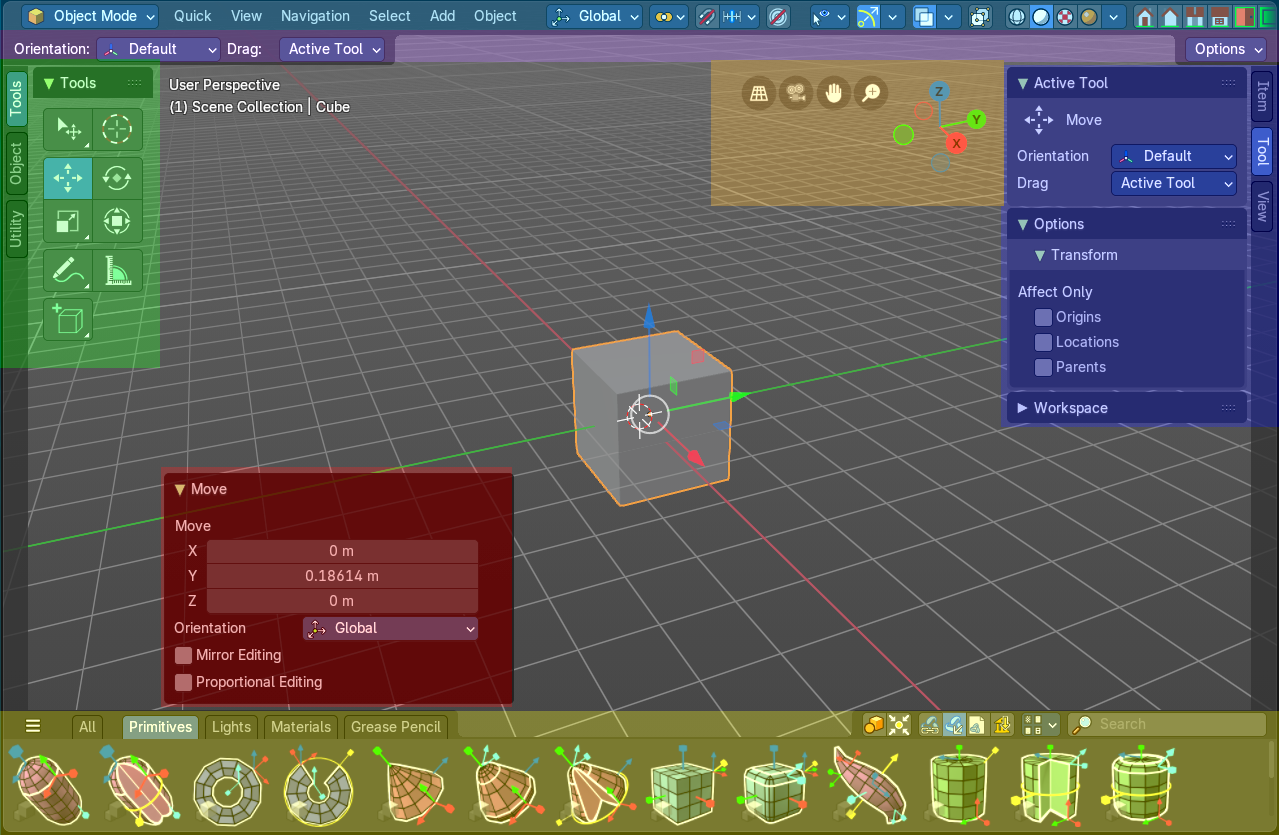
The 3D View has several areas. In this chapter we will cover the header area. Blue color, at the top, the area with the menus.
Header
The Header contains various menus, navigation elements and tools for the 3d view. This content vary, dependent of mode and object type. The Mesh menu just exists with a mesh object in Edit mode. The Object menu exists just in Object mode and so on.
The header is divided into three areas. Left is the mode drop down box. At the right of it is the text menus. And at the right side you will find some scene related settings.

The text menus will be explained one by one and mode by mode in their own chapters.
Header right click menus
The general right click menu functionality is explained in chapter 6 Editors introduction.
Editortype Menu
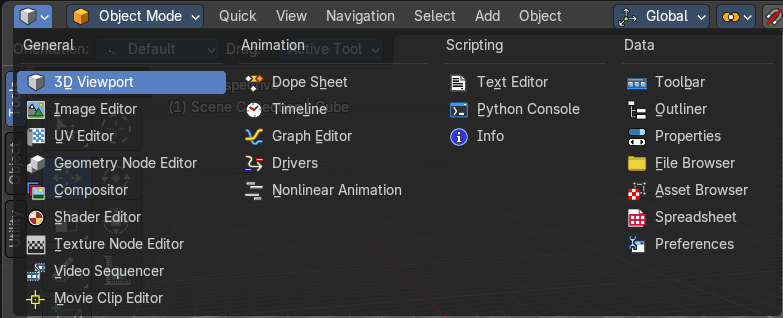
Bforartists is made of several editor types. Headers can display a menu where you can switch to other editor types.
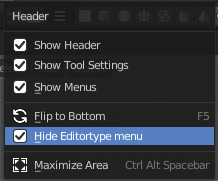
This menu is hidden by default. It is meant to edit the layouts, and should not be necessary for regular work. You can reveal it in the header right click menu. Or by splitting the view. The new window will then have the editor type menu again.
To split the view, move the mouse up right until it turns into a cross, then click and drag.