
































































Editors

Mesh Object - Vertex Paint Mode - Brushes context menus
Call this menu with right click in the 3D viewport. You need to be in Vertex Paint mode with a mesh object.
Brushes context menus
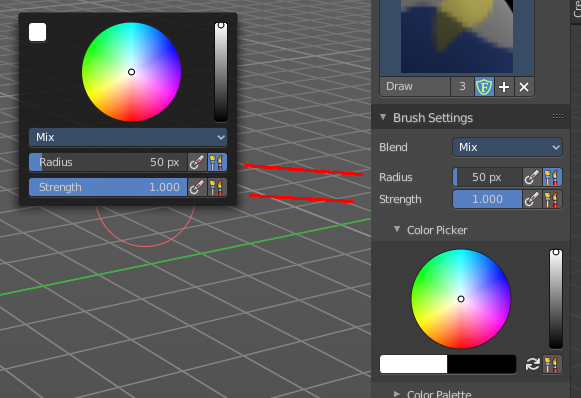
Call this menu with right click in the 3D viewport. You need to be in Vertex Paint mode with a mesh object.
In Vertex Paint mode you will call a context menu with the sliders from the Brush settings and the color dialog.
Color dialog
Define the color for your brush.
Up left is the active color. Change the color in the color dialog.
Blend
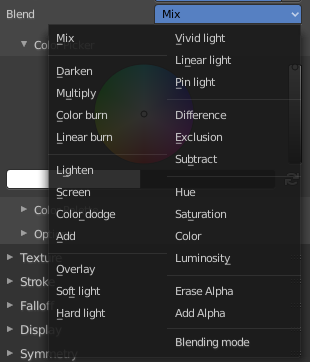
Define how the stroke will blend. You can choose between various blend modes.
| Entry | What it does |
|---|---|
| Radius | The Radius edit box allows you to adjust the radius of the brush. · Size Pressure: The first button behind the edit box enables tablet pressure sensitivity for radius. · Use Unified Radius: The second button behind the edit box enables global radius size. Any modification at the radius will also modify the radius value for other paint tools. |
| Strength | The Strength edit box allows you to adjust the strength of the brush. · Size Pressure: The first button behind the edit box enables tablet pressure sensitivity for radius. · Use Unified Radius: The second button behind the edit box enables global radius size. Any modification at the radius will also modify the radius value for other paint tools. |