





























































Bforartists 5.2.3
Rotation and Dopesheet Gizmo Stability Release 🧭
A stability release with two new gizmos: roll the view from the navigation gizmo, and edit scene strips right in the Dopesheet.
Blender 5.3.0 Alpha

Convert rotation mode for animation
Convert keyframes between rotation modes with Ctrl R.
Geometry Nodes for volumes and curves
Rasterize Points, Poisson Solver and Construct Curves.
EEVEE lighting nodes and panoramic cameras
Toon shading and lighting effects, plus equirectangular, fisheye and mirror ball cameras.
Compositor effects stack and Bundle nodes
Effects organised as a stack, with grouped data handling.
Smarter scene strips
Scene strips update their length on their own, and many datablocks drop straight onto the timeline.
OpenTimelineIO
Import and export edits to and from other editing software.
Ripple editing in the Sequencer
Ripple, Shuffle and Overwrite overlap modes (R, S, V), Ripple Trim and Ripple Delete.
Comment node
Annotate node trees, with Markdown formatting.
Custom Outliner sorting
Arrange objects anywhere in the Outliner.
Sidebar Search
Find any property or operator in any editor's sidebar, add-on tabs included.
Easier extensions
Legacy pre-downloaded extensions install and uninstall in fewer clicks, and the Asset Libraries filter has an icon.
Clearer themes
Node highlights stand out more, and curve handle colours are easier to read.
Cleaner menus
Double entries are gone (Import FBX, Link to Scene, Snap, Implicit Conversion). Pose and Weight Paint get Show/Hide submenus, and tool shelves follow the Add menu order.
30+ new node icons
New Geometry Nodes, Shader light nodes and Compositor nodes get icons and tool shelf entries: Comment, XPBD Solver, Construct Curves, Rasterize Points, Grid Solve Poisson, Combine List and the Bundle nodes.
Ripple Delete, lasso select and tidy footers
- Ripple Delete closes the gap when a strip goes.
- Lasso select uses the same hotkeys as the other editors.
- Keyframing tools sit together in the Timeline footers, with matching frame range icons.
Edit scene strips right in the Dopesheet
Scene strips get gizmos in the Dopesheet: drag their edges to change the frame range, without opening the Sequencer.
Roll the view from the navigation gizmo
Drag left or right on the navigation gizmo to roll the view. An angle readout follows the drag, so a tilt is easy to undo.
Roll buttons and a hotkey sit in the 3D View sidebar too.
This is a cumulative point release focused on stability and polish, with a couple of new gizmo core features: roll the view by dragging a gizmo, and interactive scene strips in the Dopesheet.
This release is built on Blender 5.3.0 Alpha (Blender main as of October 7, 2026), with 76 new features, fixes and polish from us since 5.2.0.
✨What's new in this release
- View Roll gizmo — Drag left or right on the navigation gizmo to roll the view, with an angle indicator while you drag. Roll controls and a hotkey are also in the 3D View sidebar
- Dopesheet Scene Strip gizmos — Interactive gizmos to edit scene strips directly in the Dopesheet and timeline frame ranges with a gesture
- Sequencer and Timeline — Ripple Delete, lasso select hotkeys like the other editors, consolidated keyframing tools in the Timeline footers, and consistent frame range icons
- 30+ new node icons — New Geometry Nodes, Shader Light nodes and Compositor nodes now have icons and toolshelf entries, including Comment, XPBD Solver, Construct Curves, Rasterize Points, Grid Solve Poisson, Combine List and Bundle nodes
- Cleaner menus — Removed double entries (Import FBX, Link to Scene, Snap, Implicit Conversion), Show/Hide submenus in Pose and Weight Paint, and toolshelves that follow the Add menu order
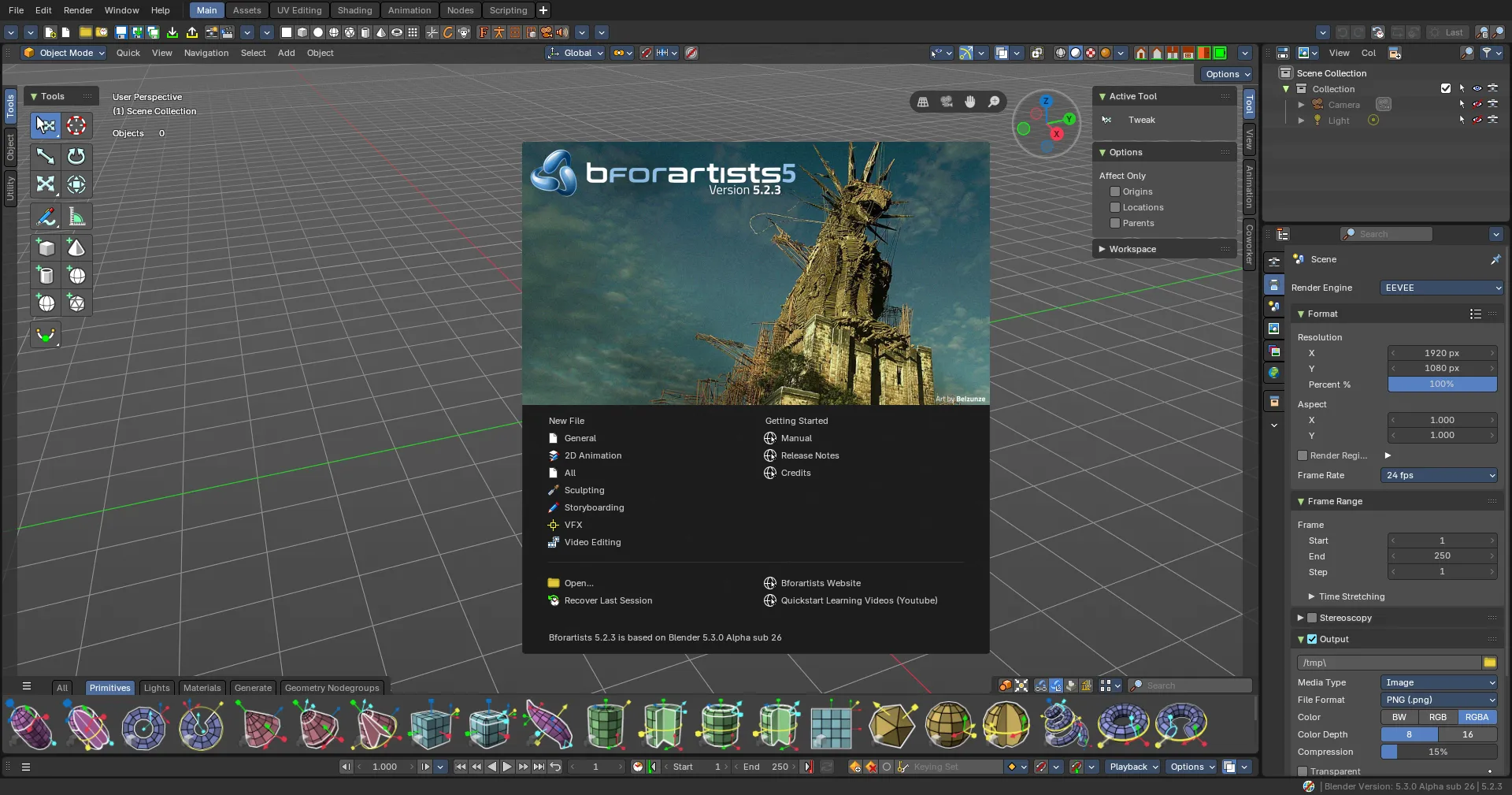
- Bigger splashscreen with more recent files
- Easier extensions — Installing and removing legacy pre-downloaded extensions is simpler, and the Asset Libraries filter now has an icon
- Clearer themes — Node highlights stand out more, and curve handle colors now more legible
🧡 Top Usability Features from Blender 5.3 (Alpha)
- Sidebar Search — Find any property or operator in any editor's sidebar, including add-on tabs
- Custom Outliner Sorting — Arrange objects anywhere in the Outliner
- Comment Node — Annotate node trees, with Markdown formatting
- Ripple Editing in the Sequencer — Ripple, Shuffle and Overwrite overlap modes (R, S, V), Ripple Trim and Ripple Delete
- OpenTimelineIO — Import and export edits to and from other editing software
- Smarter Scene Strips — Scene strips update their length on their own, and many datablocks can be dropped straight onto the timeline
- Compositor Effects Stack and Bundle nodes — Effects organized as a stack, with grouped data handling
- EEVEE Material Lighting Nodes and Panoramic Cameras — Toon shading and lighting effects, plus equirectangular, fisheye and mirror ball cameras
- Geometry Nodes for Volumes and Curves — Rasterize Points, Poisson Solver and Construct Curves
- Convert Rotation Mode for Animation — Convert keyframes between rotation modes with Ctrl+R
And many more bug fixes and more!
Note: Bforartists follows Blender main, so this release carries Blender 5.3 Alpha code. Files stay fully compatible with Blender. Bforartists 5.3, built on the final Blender 5.3, follows on November 10.
- Bforartists-5.2.3-Windows.zip
- Install_Bforartists5_523.exe
- releasenote_bforartists5_523.txt
Geometry Nodes
- Sidebar - Utilities - Bundle - Add icons to Get Nested Bundle Paths and Typed Bundle #6903
- Sidebar - Utilities - Text - Add icons to Reverse String, Set String Case and Tag Filter #6905
- Utilities - Vector - Get Vector Component icon, sidebar entry and legibility #6904
- Sidebar - Volume - Sample - Add icons to Grid Solve Poisson and add to sidebar #6902
- Sidebar - Add - Attribute - Add icons to Get Attribute Names and Transfer Attributes #6901
- Add Import SPZ icon and sidebar entry #6900
- Sidebar - Add - Point - Add icons to Rasterize Points and Set Point Cloud Type #6899
- Add Comment node icon and sidebar entry #6897
- XPBD Solver node icon and toolshelf entry #6807
- Utilities - Lists - New Combine List node needs icon and toolshelf entry #6808
- Geometry - Material - New Geometry Materials node needs icon and toolshelf entry #6717
- Curve - New Construct Curves node needs icon and toolshelf entry #6865
- Volume - Read - New Get Grid Names node needs icon and toolshelf entry #6866
- Toolshelf - Geometry - Operations - Add Merge by Distance #6841
3D View
- Navigation Gizmo - Roll - Drag left or right to roll, angle indicator while dragging #6932
- Navigation - Gizmo - Add a gizmo to roll the camera view, View Roll in sidebar #6839
- Armature - Pose Mode - Animation - Convert Rotation Mode needs icon #6712
- Sidebar - View - Expose controls to roll camera view, add roll hotkey #6718
- Mesh - Edit Mode - Transform - Add Relax Edge Loops icon and toolshelf entry #6719
- Sculpt - Sculpt Menu - Move Polyline Add to top level #6744
- Grease Pencil - Edit Mode - New Deselect Linked operator needs icon #6679
- Armature - Pose Mode - New Align to Transform Orientation needs icon #6660
- Edit Mode - Vertex menu - Put Extrude to Cursor or Add into the toolshelf #5668
Properties Editor
- Output - Fix NameError 'Tru' is not defined #6925
- Output - Format Presets - Rename new square presets to Bforartists naming #6867
- Compositor effects stack buttons in same order as other stacks #6776
- World - Open Node Editor button opens the Shader Editor #6732
- Materials - Open Node Editor button fix #6731
Compositor
- Toolshelf - Utilities - Remove stale Switch and Split String entries #6840
- Add - Utilities - Remove double Implicit Conversion entry #6850
- Toolshelf - Input - Scene - Add Is Viewport node #6740
- Toolshelf - Utilities - Add new Utilities and Math nodes #6716
- Remove redundant Matrix and Rotation entries from Add menu #6715
Dopesheet
- Key - Remove double Snap entry #6846
- Key - Move Insert Key into Insert Key menu #6678
- Interactive Scene Strip Gizmos #6780
- Action Editor Mode - New Duplicate and Replace Action #6680
Preferences
- Extensions - Show icon on Asset Libraries filter tab #6869
- Extensions - Improve how you install/remove legacy pre-downloaded extensions #4568
- Themes - Add header icons to User Interface and Color Sets panels #6825
Asset Browser
- Restore user library icon in library selector #6868
- Expose Sort from context menu in View menu #6638
- Info labels float left, no duplicate textbox labels #6714
Video Sequencer
- Header - Overlap Mode - Ripple setting icons regressed #6928
- Context Menu - Define has_selection for Image strips #6916
Theme
- Node Editor - Nodes - Make node highlight more evident #6831
- 3D View - Curve - Handles - Change default colors to match Blender #6833
Shader Editor
- Toolshelf - Utilities - Add Index Switch and Switch nodes #6739
- New Light nodes icons and toolshelf entries #6806
Node Editors
- Toolshelf - Sync entry order with the Add menus #6675
- Add node UI audit script for Add Menu and Toolshelf #6836
Sequencer
- Add lasso select hotkeys consistent with other editors #5512
- Strip - Ripple Delete #6725
Toolbar
- File - Import - Remove double Import FBX entry #6137
- Tools - Link Data - Remove double Link to Scene entry #6139
Splashscreen
- Make it bigger #6729
- Template recent file amount change #6749
Other
- Project Setup - Add icons to Variables and Asset Libraries tabs #6809
- Sequencer and Timeline - Footer - Make Set Start and End Frame icons consistent, remove doubles from Sequencer #6094
- File - Import/Export - OpenTimelineIO needs icons #6861
- Grease Pencil Materials - Add icons to Assign, Select and Deselect in Edit Mode #6219
- Armature Edit Mode - Add icons to Warp and Randomize #6626
- Node Editor - Minimap - No click passthrough over the minimap when over another node #6832
- Metaball Edit Mode - Sidebar Size fields stacked as X, Y, Z rows #6862
- Weight Paint - Expose Hide operators to own Show/Hide menu #6758
- Pose Mode - Context Menu - Put Show/Hide operators into submenu #5402
- Grease Pencil Edit Mode - Add vertex group and corner type operators to Point sidebar #6171
- Tool System - Use fallback tool's icon in drag action popover #6798
- Weight Paint Mode - Expose Select Loop Pick for discoverability and consistency #6426
- VSE - Footer - Playhead snapping options - Put label in front of the sliders #6102
- Texture Paint - Header - Automasking - Cavity Mask is double #6470
- Default Asset Library - Modular child add-on small fix #6752
- Sequencer and Status Bar - Update new icons #6674
- Timeline and Timeline Footers - Consolidate and improve the keyframing group of operators and properties #6726
- NLA - Remove redundant Add Track operators #6677
Splashscreen is kindly provided by Belzunze, the latest winner of the Splashscreen submissions competition hosted in the Discord server! Thank you!
Thank you for using Bforartists while making art - and for sharing to this art community.
Draise, Reiner, Blenux (Juso), Znight (Trung Pham), Quackers, Eyad, Shaley, Sean and all you arty people
💜 Join the official Discord server for weekly art challenges and live artist QnA interviews every now and then! And share your art.