





























































Bforartists 5.1.2
The Nodes Minimap and Quick Favorites Upgrade Version 🔎
A node editor minimap you can size, color and place, plus Quick Favorites upgrades.
Blender 5.1.2 and 5.2.0

Convert rotation mode for animation
Convert keyframes between rotation modes with Ctrl R.
Geometry Nodes for volumes and curves
Rasterize Points, Poisson Solver and Construct Curves.
EEVEE lighting nodes and panoramic cameras
Toon shading and lighting effects, plus equirectangular, fisheye and mirror ball cameras.
Compositor effects stack and Bundle nodes
Effects organised as a stack, with grouped data handling.
Smarter scene strips
Scene strips update their length on their own, and many datablocks drop straight onto the timeline.
OpenTimelineIO
Import and export edits to and from other editing software.
Ripple editing in the Sequencer
Ripple, Shuffle and Overwrite overlap modes (R, S, V), Ripple Trim and Ripple Delete.
Comment node
Annotate node trees, with Markdown formatting.
Custom Outliner sorting
Arrange objects anywhere in the Outliner.
Sidebar Search
Find any property or operator in any editor's sidebar, add-on tabs included.
Easier extensions
Legacy pre-downloaded extensions install and uninstall in fewer clicks, and the Asset Libraries filter has an icon.
Clearer themes
Node highlights stand out more, and curve handle colours are easier to read.
Cleaner menus
Double entries are gone (Import FBX, Link to Scene, Snap, Implicit Conversion). Pose and Weight Paint get Show/Hide submenus, and tool shelves follow the Add menu order.
30+ new node icons
New Geometry Nodes, Shader light nodes and Compositor nodes get icons and tool shelf entries: Comment, XPBD Solver, Construct Curves, Rasterize Points, Grid Solve Poisson, Combine List and the Bundle nodes.
Ripple Delete, lasso select and tidy footers
- Ripple Delete closes the gap when a strip goes.
- Lasso select uses the same hotkeys as the other editors.
- Keyframing tools sit together in the Timeline footers, with matching frame range icons.
Edit scene strips right in the Dopesheet
Scene strips get gizmos in the Dopesheet: drag their edges to change the frame range, without opening the Sequencer.
Roll the view from the navigation gizmo
Drag left or right on the navigation gizmo to roll the view. An angle readout follows the drag, so a tilt is easy to undo.
Roll buttons and a hotkey sit in the 3D View sidebar too.
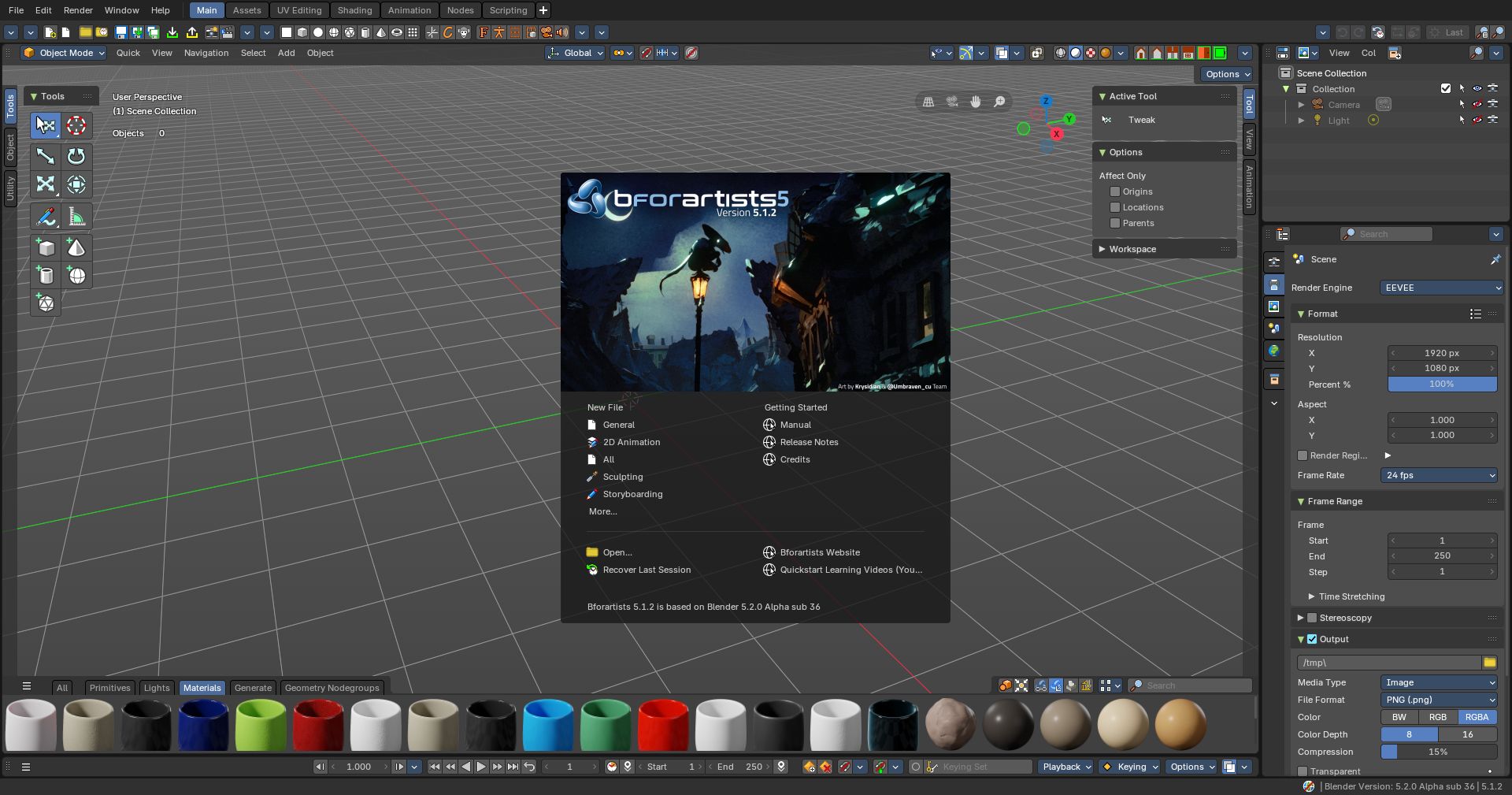
This minor point release has major features! With a new node editor minimap with customizatble size, coloring, ratio and position. This also comes with new materials ouf-of-the box, and a highly requested Quick Favorites menu with icons and order customizability.
This is part of the latest from Blender 5.1.2 and 5.2.0 to the date - with 46 new features, fixes and polish with another 15+ stability fixes from Blender.
✨What's new in this release
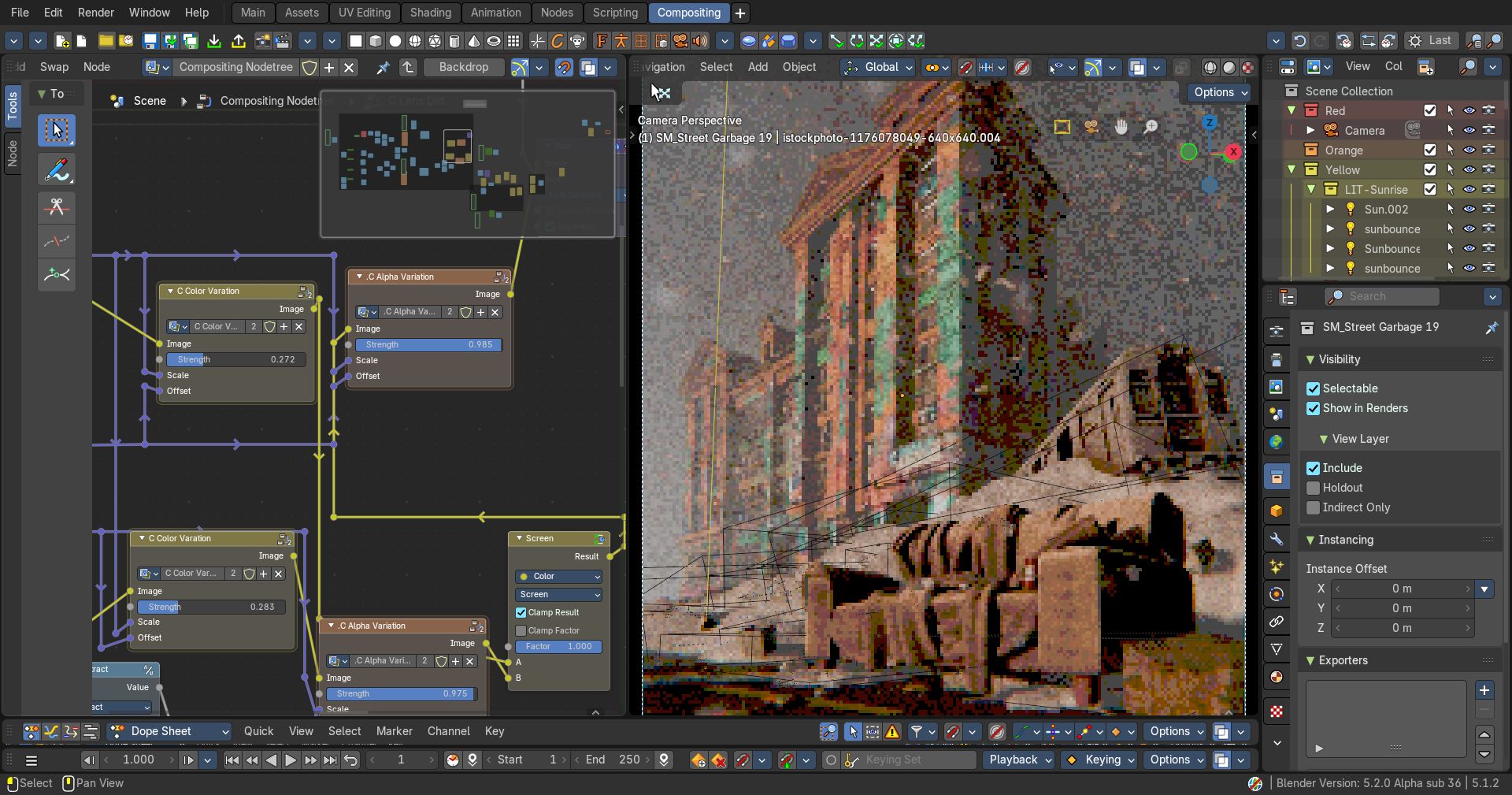
- Customizable Node Minimap
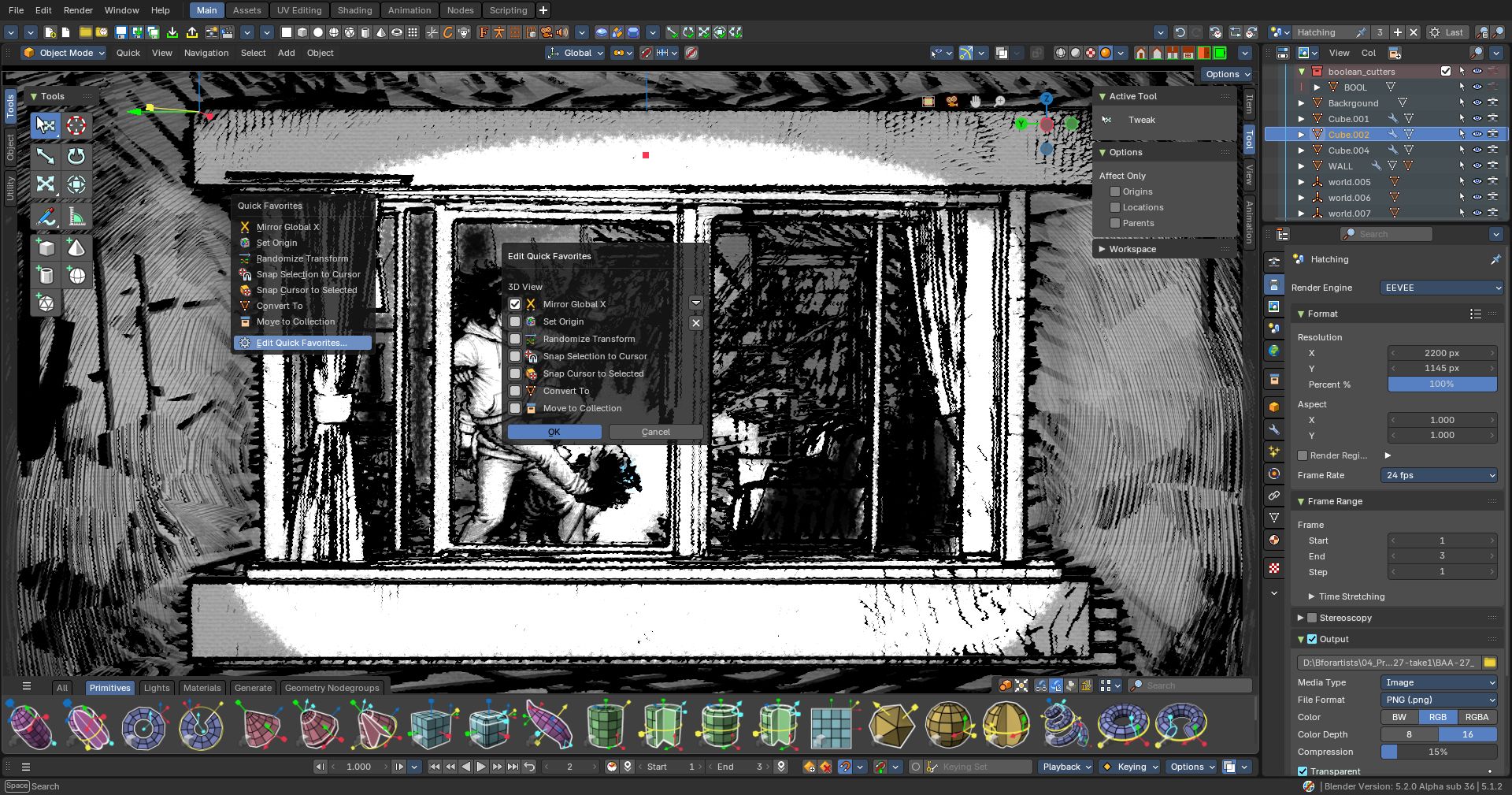
- Customizable and Icononized Quick Favorites menu
- Compact toolshelf tabs with better column snapping
- Stacks button to open relevant Node Editors
- More out-of-the-box materials, including wood
- Power User Tools Select Grease Pencil Layer under Mouse operators
- Sequencer Compositor Assets button (like in Geometry Nodes)
- Fixed Smart Asset sidebar modifier options
🧡 Additional Features from this Blender 5.1.2 and 5.2.0 series
- Geometry Nodes Sample Sound Frequencies Node
- Geometry Nodes Merge Points and Cluster by Selected and Distance
- Geometry Nodes List Nodes and socket type
- Grease Pencil Dot texture randomization
- Compositor Rotation nodes
- Mesh Edit Mode Flatten and Space Edge Loops Evenly Operators
- Dopesheet Select All (keyframes) by Trait
- Blender Online Assets available in Asset Browser and Shelves when online
And many more bug fixes and more!
- Bforartists-5.1.2-Linux.tar.xz
- Bforartists-5.1.2-Mac-Silicon.dmg
- Bforartists-5.1.2-Windows.zip
- Bforartists-5.1.2-x86_64.AppImage
- bforartists_5.1.2.deb
- Install_Bforartists5_512.exe
- releasenote_bforartists5_512.txt
Geometry Nodes
- Instances - New Input Instance Bounds node #6519
- Geometry- Operations- New Get Geometry Component node #6578
- Utilities - Lists - New Filter List node #6577
- Utilities - Field - New Cluster by Distance node #6533
- Mesh - Read - New Cluster by Connected #6531
- Geometry - Operations - New Merge Points node #6532
- New Lists nodes (x5) #6538
- Utilities - Sound - New Sample Sound Frequencies node #6520
3D View
- Edit Mode - Grease Pencil - Toolsystem > Toggle Caps panel - Fix mismatch with "Set Caps" header menu #6544
- Edit Mode - Toolsystem > Curve Panel > Remove double entries #6541
- Mesh - Edit Mode - Transform - New Space Edge Loops Evently #6575
- Edit Mode - Mesh - Transform - New Flatten operator #6515
- Armature Edit Mode - Toolsystem > Armature tab > Recalculate Bone Roll panel - Use subpanels for grouping #6551
- View Pie Menu - Swap Front and Back locations? #6547
Default Asset Library
- Missing sidebar modifier properties #6556
- Add stronger Blender versioning to back-port the default asset library modules #6524
- Mesh Blend by Proximity collection socket wizard fails #6523
- update thumbnails and add Curtis Holt's Community CC0 materials #6508
Sequencer
- Hotkeys - Make gizmos work on press instead of drag, they currently don't work #6557
- Hotkeys - Expose Transform Select on Side to GUI #6558
- Text Strip - Style - New Line property #6572
Properties Editor
- Strip Modifiers - Add a "quick open compositor window" to button/operator AND/OR make a Sequencer compoitor workspace already setup #6579
- Strip Modifiers tab - Split Modifier Assets like in Geometry Nodes Assets modifier stack #6573
Compositor
- Utilities - New Rotation group of nodes #6534
- Add Blank Image to sidebar #6500
VSE
- Strip tab > Transform Panel - Improve layout of XY properties #6289
- Strip tab - Movie Clip & Mask panel - Fix `rpt_` not defined error #6293
Other
- Consider having a position on LLMs, ideally a different one than blender #6506
- UI - Add Open Editors Temp Window Operators #6596
- Tools Region - Sub Menu Icons Small #6599
- UV Editor - Select all by Trait needs icons #6513
- Dopesheet - Select Linked needs icon #6511
- Sidebars - Compact Tabs option makes columns too thin, offsetting icons #6518
- Assets - multiple definitions of catalog warning #6571
- Timeline - Remove double playback menu (one on left) #6512
- Power User Tools - Select Grease Pencil Layer under Cursor #6569
- Quick Favorites menu - Add Editor with Icons #6529
- Render Menu - Improve operator labels #6549
- Paint Mode - Advanced - Remove "Modes" panel #6536
- Graph Editor & Dopesheet - Key - Mirror - Reorder and add separator #6535
- Properties - Strip > Time panel - Remove duplicated "Show Retiming Keys" property #6565
- Shader Editor - Node Minimap - General Fixes #6559
- Bug: Node Editors - Missing data management in Node groups #6528
- Default Asset library - Make updating assets more robust #6510
- Bug: Properties Editor - Rotation socket animation property broken #6509
- Node Editors - Context Menu - Frame icons needs to be updated #6502
Splashscreen is kindly provided by Krysidian and the @Umbraven_cu (Instagram) Team, the latest winner of the Splashscreen submissions competition hosted in the Discord server! Thank you!
Thank you again for using Bforartists, by making art with this - and sharing this to the art community. This wouldn't be possible without you.
Draise, Reiner, Blenux (Juso), Znight (Trung Pham), Quackers, Eyad, Shaley, Sean and all you arty people
💜 Join the official Discord server for weekly art challenges and live artist QnA interviews every now and then! And share your art.