





























































Bforartists 5.1.0
The UV Nodes Version 🏁
The UV Nodes version: procedural UV Geometry Nodes assets out of the box.
Blender 5.1.0 and 5.2.0
Convert rotation mode for animation
Convert keyframes between rotation modes with Ctrl R.
Geometry Nodes for volumes and curves
Rasterize Points, Poisson Solver and Construct Curves.
EEVEE lighting nodes and panoramic cameras
Toon shading and lighting effects, plus equirectangular, fisheye and mirror ball cameras.
Compositor effects stack and Bundle nodes
Effects organised as a stack, with grouped data handling.
Smarter scene strips
Scene strips update their length on their own, and many datablocks drop straight onto the timeline.
OpenTimelineIO
Import and export edits to and from other editing software.
Ripple editing in the Sequencer
Ripple, Shuffle and Overwrite overlap modes (R, S, V), Ripple Trim and Ripple Delete.
Comment node
Annotate node trees, with Markdown formatting.
Custom Outliner sorting
Arrange objects anywhere in the Outliner.
Sidebar Search
Find any property or operator in any editor's sidebar, add-on tabs included.
Easier extensions
Legacy pre-downloaded extensions install and uninstall in fewer clicks, and the Asset Libraries filter has an icon.
Clearer themes
Node highlights stand out more, and curve handle colours are easier to read.
Cleaner menus
Double entries are gone (Import FBX, Link to Scene, Snap, Implicit Conversion). Pose and Weight Paint get Show/Hide submenus, and tool shelves follow the Add menu order.
30+ new node icons
New Geometry Nodes, Shader light nodes and Compositor nodes get icons and tool shelf entries: Comment, XPBD Solver, Construct Curves, Rasterize Points, Grid Solve Poisson, Combine List and the Bundle nodes.
Ripple Delete, lasso select and tidy footers
- Ripple Delete closes the gap when a strip goes.
- Lasso select uses the same hotkeys as the other editors.
- Keyframing tools sit together in the Timeline footers, with matching frame range icons.
Edit scene strips right in the Dopesheet
Scene strips get gizmos in the Dopesheet: drag their edges to change the frame range, without opening the Sequencer.
Roll the view from the navigation gizmo
Drag left or right on the navigation gizmo to roll the view. An angle readout follows the drag, so a tilt is easy to undo.
Roll buttons and a hotkey sit in the 3D View sidebar too.
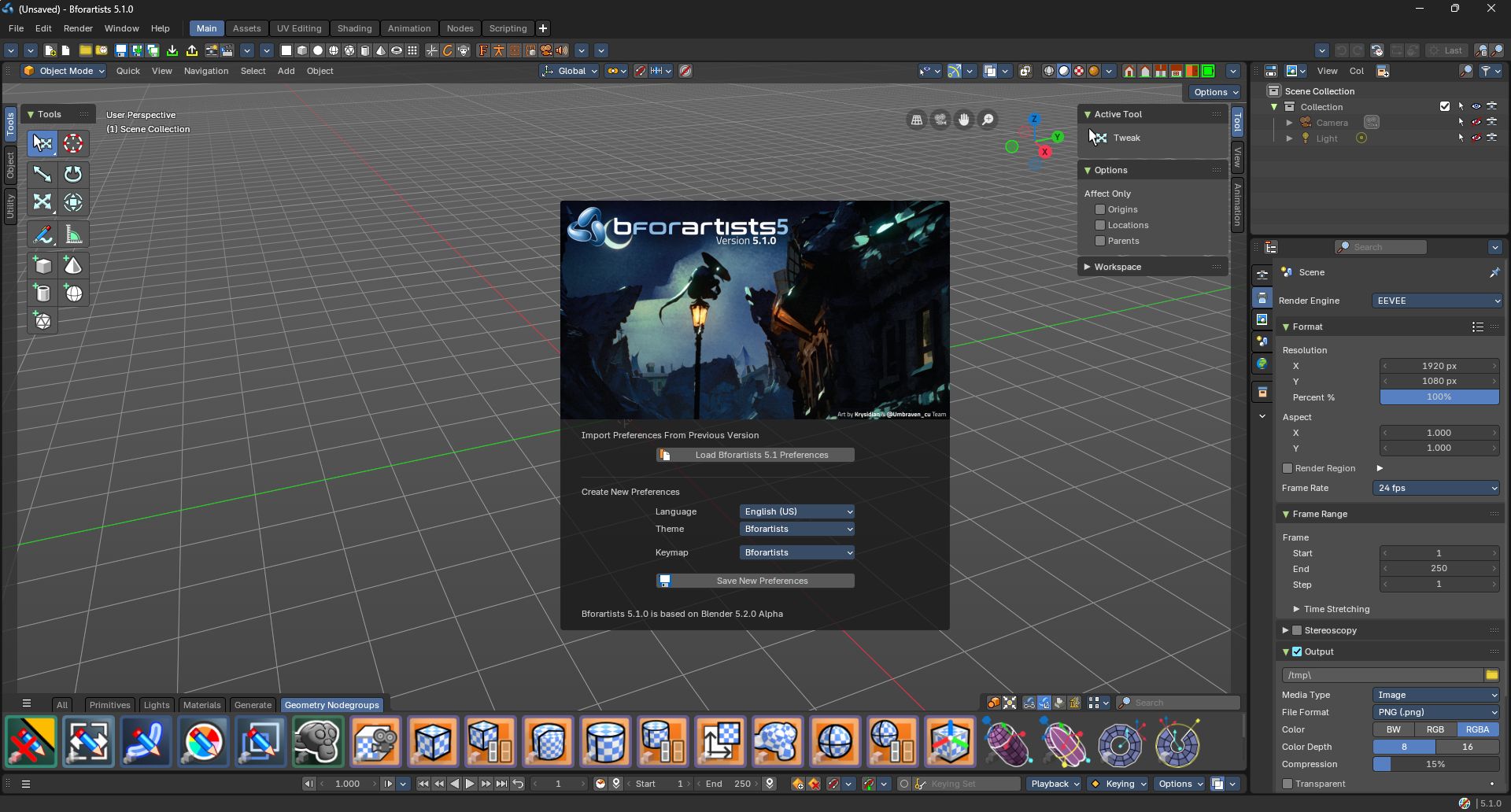
This major point release is focused on new procedural UV Geometry Nodes assets that come out of the box, and much polish to the overall interface, keeping everything new in sync with the Bforartsits interface philosophy.
This is part of all the latest from Blender 5.1.0 and 5.2.0 to the date - with 131 new features, fixes and polish with much stability from Blender!
✨What's new
- New procedural UV Nodes assets for Geometry Nodes

- Grease Pencil pressure sensistive distance to radius when drawing on surfaces
- New Primitive Add gizmos mode operators exposed to a top level in the toolshelf in object and sculpt mode

- Updates to Grease Pencil asset thumbnails for consistency

- Major performance update and new features of the Smart Mesh Blend asset
- Major refactor for the Add Node sidebar to improve consistency and order
- Refactored Topbar customization and consistency settings panel pass for the Topbar editor, making this more accessible and usable and consistent

- Active Tool dropdown gets icons
- More tabbed toolshelf icons get an update, notably the Annoation icons
- Most Booleans checkboxes now dynamically float left, making these more consistent everywhere
- Sidebars have improved alignment of labels and properties accross the board
- Tabbed toolshelf has improved padding when in 3 columns mode
- Improved selected channel legibility in Animation editors
- Fixed Multi-GPU rendering hard crash
- More Shelf Regions pie menu refinement
🧡 Additional Features from this Blender 5.1.x and 5.2.x series
- Animation: New Subframes visibility
- Animation: New Looping and playback modes
- Graph: New Smooth (Gaussian) modifier
- Shader: New raycast node
- Shader: Support for DirectX and OpenGL toggles in the Normal node
- Preferences: New Search
- Preferences: New abiliity to toggle Asset library visibilities
- Greasepencil: New Fills and Stroke mode with booleans
- Greasepencil: New primitive gizmos
- Grease Pencil: You can search in layers now
- Geometry Nodes: New Grid Nodes like Gird Mean, Grid Median, Grid Dilate & Erode, Trim String node, Set NURBS Weight and Order, new Matrix SVD
- Geometry Nodes: New Bundle orgnaization nodes in Geometry Nodes
- Geometry Nodes: UV Pack node and Strings to Curves node is better
- All Node editors: New Implicit conversion, and new consistent Input constant nodes, new Menu node
- All Node editors: New Cut Nodes to paste between sessions opertoar
- Weight Paint: New loop selections
- Edit Mode: New delimiters on loop selections
- Edit Mode: New "To Circle" operator
- Text Object: Better drawing
- Compositor: New Camera Info nodes and Integer Vectors, new Mask to SDF node
- Sequencer: Compositor modifier has GPU acceleration now
- Sculpting: New Scene Project brush, and Vertex Color operator
- Data: Better Remap User experience
- Outline: Scroll on rename has improved
- Core: Undo is 30% faster
- Core: Vulkan and Cycles Denoising is marginally much faster and stable, by leagues
- Core: Stability is highest it has ever been with over 350+ fixes
And many more features, bug fixes and more!
- Bforartists-5.1.0-Linux.tar.xz
- Bforartists-5.1.0-Mac-Silicon.dmg
- Bforartists-5.1.0-Windows.zip
- Bforartists-5.1.0-x86_64.AppImage
- bforartists_5.1.0.deb
- Install_Bforartists5_510.exe
- releasenote_bforartists5_510.txt
3D View
- Sculpt Mode - Sculpt - New Set Vertex Color operator #6397
- Sculpt/Object Mode - Make Add Modal Primitive top level panel with updated icons #6321
- Mesh object - Edit Mode - Mesh - Transform - New To Circle #6325
- Region Overlap on with Asset Browser off causes overlap glitch #5013
- Object - Animation - Add icon to Replace Action Animation operator #6259
- GP - Vertex Paint Mode - Toolshelf - Missing Replace icon #6280
- Grease Pencil - Draw Mode - Erase brush - Add icons to erase mode in header #6319
- Grease Pencil - Vertex Paint brush - Make sidebar mode collapse #6335
- Tool Settings - Add icons to "Active Tool" dropdown #6333
- GP - Paint Mode - Tint and Eraser mode could have icons (for consistency) #6281
- Overlays - Indent new "Text" group, remove old Statistics #5994
- Sidebar - Item Tab - Put axis labels in front of Dimensions property #6247
- Edit mode - Select Edge Loop is broken #6265
- Header - Selectatbility and visibility icon broken #6183
Default Asset Library
- Make Grease Pencil nodegroup color coding consistent #6332
- Compositor - Make pixel based systems work in vertical resolutions. #6327
- Improve compositor icons with better iconography #6331
- Improve the Mesh Blend by Proximity performance and features for v2.0.2 #6330
- Add UV Nodes #6334
- Registers wrong type of library now, needs to be robust #6310
- Blend Normals by Proximity - Default to a Default Target Collection #6244
- Smart Mesh Blend - Improve some UX issues #6255
- Improve unregistry and manifest #6181
- Cleanup code and functionality #6153
Properties editor
- object properties with Eevee - Visibility panel - missing decorators #6252
- Physics tab - Dynamic paint, Brush type, source panel with paint method particle system - align prop left #6182
- Object Data Properties with armature - Inverse Kinematics panel, align prop left #6210
- Physics modifier Explode - remove double content #6170
- Constraints tab - Geometry Attribute constraint , align property left #6191
- Modifiers - Grease Pencil - Lineart modifier - Occlusion subpanel - align prop left #6175
- object properties - line art panel - remove double, hide greyed out prop, put checkbox in front #6157
- object properties with cycles - motion blur panel, align prop left #6155
- Object properties with Eevee - Visibility panel - indent props #6156
Geometry Nodes
- Utilities - Text - New Trim String node #6366
- New Bundle Nodes #6237
- New Set NURBS Weight node #6363
- Add - Curve - Write - Set NURBS Order #6322
- Add - Input - Constant - Font #6324
NLA Editor
- Sidebar - Strip Tab - Put checkbox in front of Strip name and icon #6262
- Header - Fix display of Isolate property when Tweak is enabled #6273
- Header - Put separator between Tweak and Isolate #6261
- Sidebar > Strip > Active Strip - Make properties follow BFA conventions #6133
- Sidebar > Strip > Active Clip - Add missing label and align Sync Action Length property #6134
Node Editors
- Improve tooltip to show you can copy and paste nodes between Bforartists instances #6241
- New "Cut" node operator to paste later #6240
- Add - Utilities - New Implicit Conversion Node #6318
- New Implicit Conversion Node #6307
Properties Editor
- Camera - Background Images panel > Movie Clip - Use split layout for non-boolean properties #6216
- Bone Properties tab - Viewport Display panel - Custom shape subpanel - indent and hide properties #6227
- Bone Properties tab - Viewport Display panel - Custom shape subpanel - Error in console #6226
- Image tab - Image or Movie - Image panel - Sampling subpanel - put label in front of slider #6225
Compositor
- new Mask to SDF Node #6151
- File Output node - Sidebar - Node tab - Properties Panel - Images subpanel - align prop left #6295
- Asset Shelf - Reassign default asset librarie categories in versioning #6212
NLA
- Sidebar - Active Strip Panel - Indent and large space issue #6287
- Strip menu - Remove delete tracks #6285
- Action header - New Replace Action operator needs icon #6296
VSE
- blade tool - sidebar, tool, active tool settings - align props left #6090
- Preview mode - Sidebar - View Tab - View Settings panel - align prop left #6092
- Strip tab with text object - Style panel - Double content Shadow, Outline, Box #6089
Sequencer
- When Active scene is not the Pinned Sequencer scene, the Retiming panel fails #6222
- Crash with navigation in VSE with Thumbnails turned on #6082
- Effect Strips context and operators needs updating #5001
Node Editor
- Input - Constant - New "Menu" node needs icon and some tooltip love #6323
- Sidebar - Node - Node Color - Special menu is empty #6340
Essentials Assets
- Add "Blur" brush from Blender essentials #6152
- Sync Geometry Nodes #6263
Outliner
- View - Pie Penu - Add icon #6317
- Scene tab - Keying sets - align props left #6148
User Preferences
- Add icon to new Asset Libraries panel #6304
- move show hidden #6218
Preferences
- Asset Libraries - Move Library buttons now broken when trying to move an Online Repository (Experimental) #6312
- Interface tab - order of checkboxes #6224
Graph Editor
- View menu - remove double menu entry Channels #6123
- View menu - View in Graph Editor #6124
Other
- UV Align Vertically/Horizontally icons are inverted #6314
- Add Icon for SDF Grid filtering #6249
- Add icons for new added Grid operation nodes #6253
- Add Icon for Cube Grid Topology node #6250
- Add Icon for Matrix SVD node #6248
- Select menus, separator at the end of the menus #5126
- Plane Trim option not available warning in sculpt mode with fill/deepen brush #4955
- File Browser to Sequencer Context menu - Add icons #5347
- Update orient_type check from boolean to enum in transform operations #6353
- OptiX not detecting GPUs in Linux #6341
- Fix: Race Condition on close #6272
- Tools update the brush icon #6306
- Fix: Addon missing manifest #6291
- Files imported from Blender don't work correctly #6193
- 3d view, object menu, Animation submenu - Replace action needs icon #6297
- Add icons to new Grease pencil fill workflow operators #6258
- Asset warnings in console at startup #6245
- GitHub actions failing after recent Blender precompiled libraries update #6207
- Crash when rendering with Cycles using Optix with both CPU and GPU #6007
- Error in space_statusbar.py #6204
- Fix: Error in bfa_default_library addon #6198
- Properties editor, Constraints tab - Limit rotation constraint - Could not find button with matching property to decorate #6190
- Fix: Critical warning during build #6184
- Console messages at startup #6186
- 3D View, Item tab, Transform panel - refactor Mode property #6158
- Getting a frequent crash when editing a mesh in edit mode #6140
- Toolsystem - Sidebar - Fix non-square buttons when in three-column layout #6401
- Topbar - Workspaces - Double "Duplicate Workspaces" entry #6093
- Icon - Info Large icon needs better drawing #6365
- Toolbar/Topbar - Manager Panel - Make different functions more distinguishable #6380
- Shader Nodes - Toolshelf - Fix incorrect toolshelf buttons for Closures #6368
- Hotkeys - Curves object - Sculpt Mode - X to radial control needs Confirm on Release #6329
- Grease Pencil - Draw Mode - Add "sync" surface distance with brush radius #6336
- Default Theme - Make Channels differentiate between selected channels and others #6286
- Keymap - remove old tool region toggle and update macos keymap #6351
- File Browser Keymap - Replace TOOL PROPS keymap with ~ (tilde key) #6345
- Import - Drag and Drop menu for SVG needs icons #6328
- File Browser - Make the T key use the consistent pie menu #6339
- Animation layout, toolbar - all toolbar types on #6274
- Video Sequencer & Properties - Strip Tab - Put checkbox in front of Strip name and icon #6276
- Startup - Animation tab saved has default. #6269
- Animation workspace - remove unused toolbar #6233
- Toolbar - Toolbar manager in old version - Animation, Edit and Misc not chooseable #6138
- Toolbar Editor - Make preferences the same as the fixed Topbar Toolbar #4142
- Fix: Hotkeys - Brush Paint - Warnings on startup due to no erase and smooth set correctly #6205
- Default Library - Toolshelf - Update the Wizard Handlers #6242
- Spreadsheet editor - double entry Show Internal Attributes #6235
- File browser - Display settings - double label Sort By #6234
- Movie Clip Editor - no adjust last operator #6108
- Preferences , Extensions - online versus built-in addons #5061
- Solidify modifier - indent Only Rim, hide Factor #6164
- Default Hotkeys - Make snap to cursor also use rotation #5016
- Default Addons - include as system scripts #4386
- Freestyle Modifiers - align props left #6147
- Fix: Blender - Unsupported Graphics Card Configuration #6142
- Driver editor - no Key menu content #6129
- UV Editor - Select - Make "double" menu entry shortest path more explicit #5941
- Dope sheet editor - quick navigation elements vanishes in submodes #6113
- Fix: Graph Editor - Key menu content does not show #6125
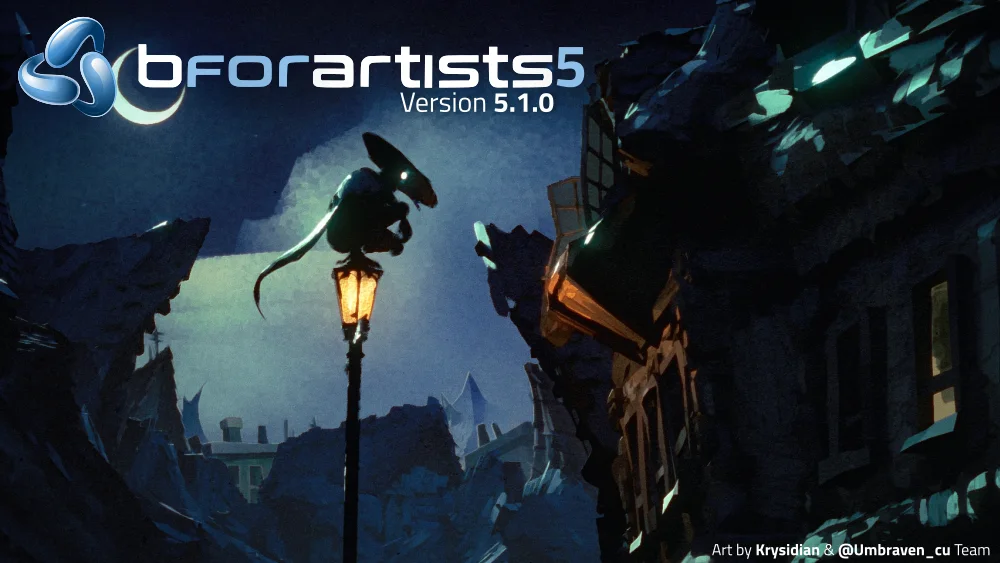
Splashscreen is kindly provided by Krysidian and the @Umbraven_cu (Instagram) Team, the latest winner of the Splashscreen submissions competition hosted in the Discord server! Thank you!
And finally! Thank you for using Bforartists, making art with it, and sharing this with the art community - this wouldn't be possible without you.
Draise, Reiner, Blenux (Juso), Znight (Trung Pham), Quackers, Eyad, Sean and all you arty supporters