





























































Bforartists 4.5.2
The Asset Shelf Usability Upgrade - Hotfix
Asset Shelf Usability Upgrade hotfix.
Blender 4.5.2 and 5.0.0

Convert rotation mode for animation
Convert keyframes between rotation modes with Ctrl R.
Geometry Nodes for volumes and curves
Rasterize Points, Poisson Solver and Construct Curves.
EEVEE lighting nodes and panoramic cameras
Toon shading and lighting effects, plus equirectangular, fisheye and mirror ball cameras.
Compositor effects stack and Bundle nodes
Effects organised as a stack, with grouped data handling.
Smarter scene strips
Scene strips update their length on their own, and many datablocks drop straight onto the timeline.
OpenTimelineIO
Import and export edits to and from other editing software.
Ripple editing in the Sequencer
Ripple, Shuffle and Overwrite overlap modes (R, S, V), Ripple Trim and Ripple Delete.
Comment node
Annotate node trees, with Markdown formatting.
Custom Outliner sorting
Arrange objects anywhere in the Outliner.
Sidebar Search
Find any property or operator in any editor's sidebar, add-on tabs included.
Easier extensions
Legacy pre-downloaded extensions install and uninstall in fewer clicks, and the Asset Libraries filter has an icon.
Clearer themes
Node highlights stand out more, and curve handle colours are easier to read.
Cleaner menus
Double entries are gone (Import FBX, Link to Scene, Snap, Implicit Conversion). Pose and Weight Paint get Show/Hide submenus, and tool shelves follow the Add menu order.
30+ new node icons
New Geometry Nodes, Shader light nodes and Compositor nodes get icons and tool shelf entries: Comment, XPBD Solver, Construct Curves, Rasterize Points, Grid Solve Poisson, Combine List and the Bundle nodes.
Ripple Delete, lasso select and tidy footers
- Ripple Delete closes the gap when a strip goes.
- Lasso select uses the same hotkeys as the other editors.
- Keyframing tools sit together in the Timeline footers, with matching frame range icons.
Edit scene strips right in the Dopesheet
Scene strips get gizmos in the Dopesheet: drag their edges to change the frame range, without opening the Sequencer.
Roll the view from the navigation gizmo
Drag left or right on the navigation gizmo to roll the view. An angle readout follows the drag, so a tilt is easy to undo.
Roll buttons and a hotkey sit in the 3D View sidebar too.
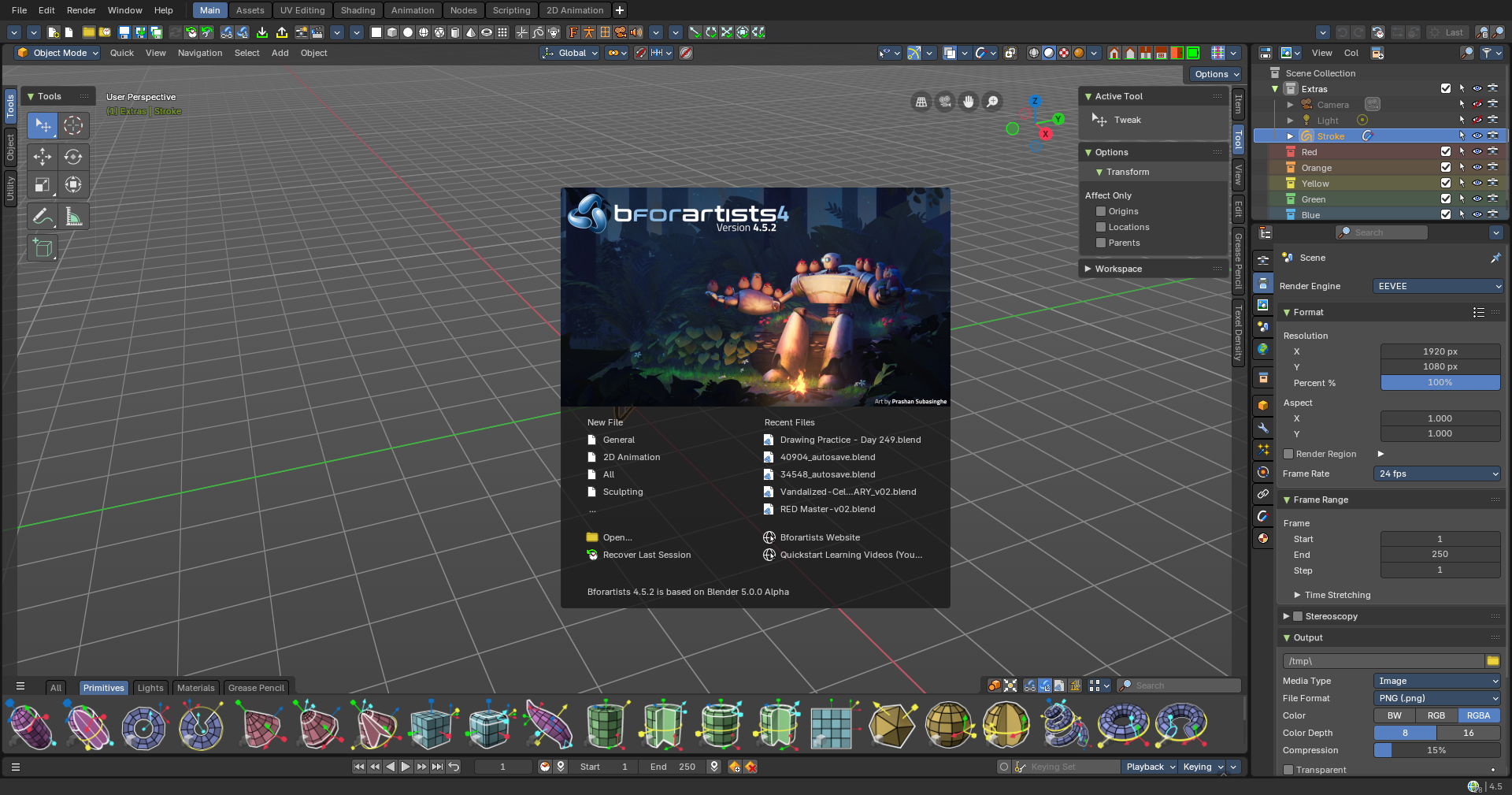
This is part of all the latest from Blender 4.5.2 and 5.0.0 to the date - with 29 new pieces of love from us and another 111 fixes from Blender
⚠️ Warning: *.BlendFile formats from this version onwards will not be backwards compatible with earlier versions of Blender 4.5.x or Bforartists 4.4.x. It's a one way trip!
What's new
- Fixed *.blend file thumbnail generation
- Fixed Properties Editor pose bone color toggles
- Fixed grid display properties
- Fixed asset shelf hotkeys for pose assets (Double click to apply, ALT+LMB drag to blend)
And much much more
And also, thanks again for all artwork, much love, feedback and help for making the Bforartists community that much better!
What's new in this series
- New Asset Shelf mode import properties
- Add asset with overrides automatically
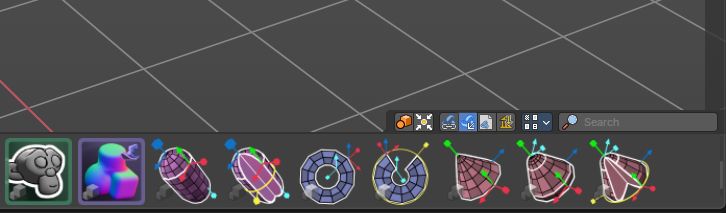
- New Default Assets:
- Blend Normals by Proximity
- Inherit Smoothness
- Inherit Material
- Mesh Lines and Silhouette
- Object/World Normal
- Group operators in the node editors are now in the toolshelf
- Cleanup and Refactor for the Node Editors sidebar add panels
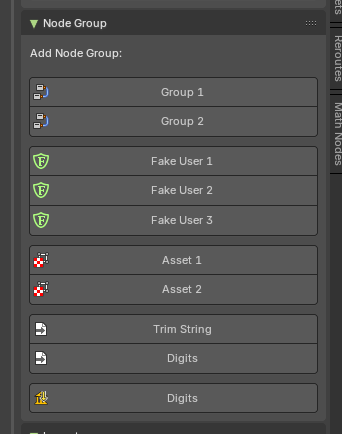
- New Granular display of nodegroups in the sidebar
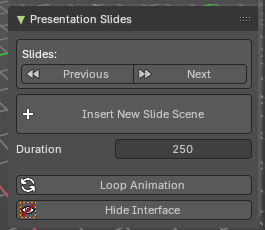
- Presentation Addon New Slides operator
- Node Group socket interface and operators got UX love
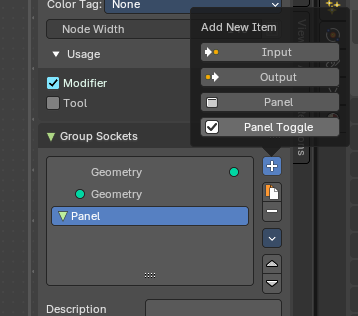
- Interface Updates
- More robust columns for the tabbed toolshelf
- Theme panel visual updates
- Updated default Hotkeys
Additional Features from this Blender 4.4.x and 5.0.x series
- New Closure and Bundle Geometry Nodes
- New Playhead Header submenu
- Sculpt Modes - New Mask to Geometry operators
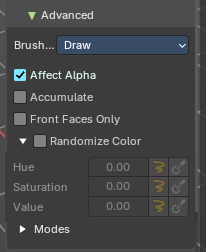
- New Color Jitter in Brushes now exposed to side bar also
- Built In attributes now show in header of Spreadsheet
- Point Cloud Edit mode is getting love
- Light properties have new settings and consistenty layout
- Exposure and Temperature
- Consistency with Cycles
- Collada removed (but we may have another in development)
- New Compositor nodes
- Image Coordinates
- Relative to Pixel
- Texture Nodes
- Input sockets
- Changes to color correction nodes
- Shader
- New Volume Coefficient Shader
- Grease Pencil Antialiasing made more explicit
- New Animation Timeline Footers
- Scenes can be saved as assets now
- Compositor Node Trees are a thing now
- New Grease Pencil operators
- Split
- Remove Fill Guides
- Outline
- Convert to Curve type
- Mask above and below
- New relocate linked asset operator
- Per Bone type visibility
- Shape Key copying
- Camera OSL scripts included
- Performance in tesselation, subdivision, and more
- Grease Pencil Fill Guide indicators
- Vulkan Backend
- Sequencer HDR support
- Sequencer slip improved
- Drag and drop collections to surfaces
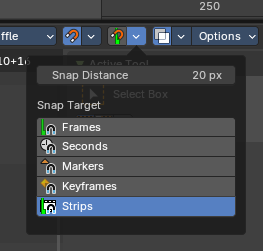
- Cursor rotation for snapping
- Asset Screenshots
- Gizmos in the Compositor
- Bforartists-4.5.2-Linux.tar.xz
- Bforartists-4.5.2-Mac-Intel.dmg
- Bforartists-4.5.2-Mac-Silicon.dmg
- Bforartists-4.5.2-Mac-Universal.dmg
- Bforartists-4.5.2-Windows.zip
- Bforartists-4.5.2-x86_64.AppImage
- bforartists_4.5.2.deb
- innnosetupinstallbfa.iss
- Install_Bforartists4_452.exe
Fix
- Mask from Cavity #5460
- Align Left Typo #5455
- CMP Corner Pin #5442
- CMP Displace #5441
- Mesh Face Menu Double Separator #5394
Properties Editor
- Armature - Bone Viewport Display - Missing Colors #5454
- Mesh - Shape Keys Panel - Special Menu Needs Iconography and Updates #5452
- Render - Volumes Panel - Float Unbiased Left #5446
- Cycles - Experimental Features - Subdivisions - Float Labels Left #5447
Sculpt Mode
- Cavity Sliders #5458
- Capitalize Cavity Inverted #5459
Cleanup
- Transforms to Delta Description #5431
- Remove Redundant Editor Type Menu #5432
Other
- Thumbnails Issue #5400
- Collapsed Node Icon #5425
- Keymap - 3D View - Asset Shelf - Applying a pose asset mouse UX needs love #5467
- 3D View - Viewport Overlays - Display Grid is broken #5466
- Theme Editor - Common Subpanel Icon #5462
- UV Editor - Missing adjust last operator for unwrap #5396
- Material Properties - Align Labels Left #5456
- Node Editor - Add Shelf Has a Group Bug #5453
- Geometry Nodes - New Closure and Bundle Nodes #5451
- Mesh in Edit Mode - Mesh Edit Mode Overlays - Remove Double Buttons, Align Props #5430
- Nodes - Change Single Socket #5404
- UV Unwrap - Align Props Left #5395
- Edit Mode - Curve Delete #5398
- Sequencer - Align Prop Left #5389
- Text Styling - Hotkeys #5368
- Shade Auto Smooth - Align Left #5383
Splashscreen is kindly provided by Prashan Subsinghe, the latest winner of the Splash Screen competition hosted in the Discord server! Thank you!
Draise, Reiner, Blenux (Juso), Znight (Trung Pham), Quackers, Eyad, Sean and all you arty supporters