

































































Volume
Volume nodes: Read, Sample, Write, Operations, Primitives.
Read
Add menu - Volume - Read

Here you find nodes to modify the volume.
Get Named Grid
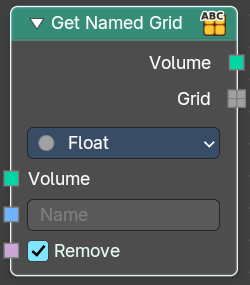
Get volume grid from a volume geometry with the specified name
Inputs
| Entry | What it does |
|---|---|
| Volume | The input volume. |
| Name | The name of the grid. |
| Remove | Removes the grid from the volume after retreive. |
Properties
Data Type
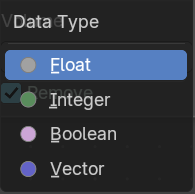
The type of data stored in the grid. It determines both, the expected data type of the Grid output, and how it can be used in subsequent nodes.
Output
| Entry | What it does |
|---|---|
| Volume | The output grid. |
| Grid | The extracted grid. |
Grid Info
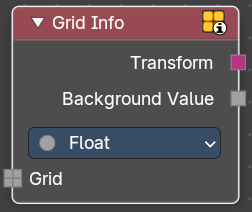
Retreive informations about a grid.
Inputs
Grid
Standard geometry input.
Properties
Data type
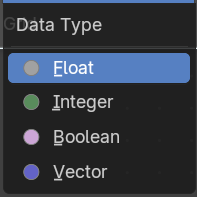
The data type to retreive.
Output
| Entry | What it does |
|---|---|
| Transform | Transform from grid index space to object space. |
| Background Value | Default value outside of grid voxels. |
Voxel Index
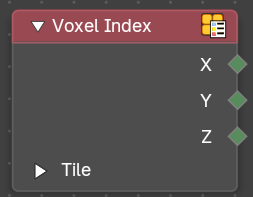
Retreive the integer coordinates of the voxel that the field is evaluated on.
Outputs
| Entry | What it does |
|---|---|
| X / Y / Z | Vector 3 output of the voxel. |
| Tile subpanel | Is Tile: True when the field is evaluated on a tile. · Extend X / Y / Z: Number of voxels in the corresponding direction. Or 1 if the field is evaluated at a voxel. |
Sample
Add menu - Volume
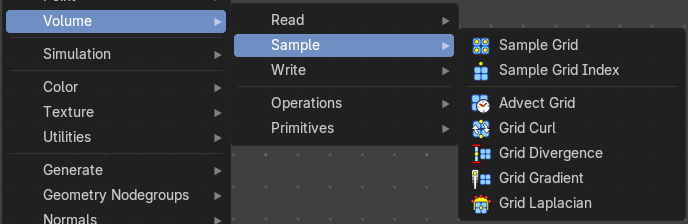
Here you find nodes to modify the volume.
Sample Grid
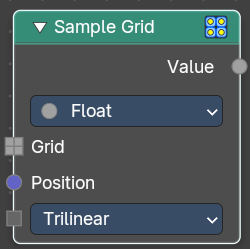
Retreive values from the specified volume grid.
Inputs
| Entry | What it does |
|---|---|
| Grid | The input grid |
| Position | The position field. |
Interpolation
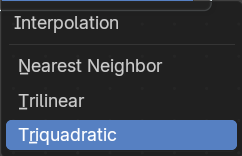
How to interpolate the values between neighbouring voxels.
Input
Data Type
Which data type to calculate.
Output
Value
The output value.
Sample Grid Index
Retreive values from the specified volume grid.
Inputs
| Entry | What it does |
|---|---|
| Grid | The input grid |
| Position | The position field. |
Interpolation
How to interpolate the values between neighbouring voxels.
Input
Data Type
Which data type to calculate.
Output
Value
The output value.
Advect Grid
Move grid values through a velocity field using numerical integration. Supports multiple intetgration schemes for different accuracy and performance trade-offs.
Inputs
| Entry | What it does |
|---|---|
| Grid | The input grid. |
| Velocity | The velocity. |
| Position | The position field. |
| Time step | Time step for advection in seconds. |
Integration scheme
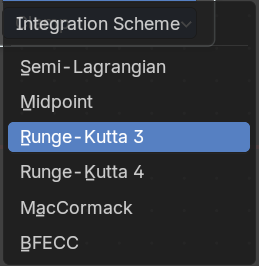
Numerical integration method for advection.
Limiter
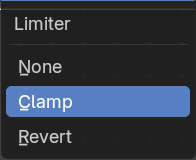
Limiting strategy to prevent numerical artifacts.
Output
Grid
The output grid.
Grid Curl
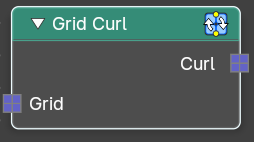
Calculate the magnitude and direction of ciruclation of a directional vector grid.
| Entry | What it does |
|---|---|
| Inputs | Grid: The input grid. |
| Output | Curl: The output grid. |
Grid Divergence
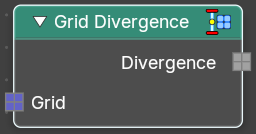
Calculate the flow into and out of each point of a directional vector grid.
| Entry | What it does |
|---|---|
| Inputs | Grid: The input grid. |
| Output | Divergence: The output grid. |
Grid Gradient
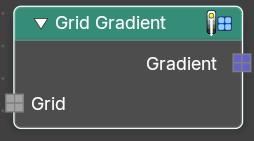
Calculate the direction and magnitude of the change in values of a scalar grid.
| Entry | What it does |
|---|---|
| Inputs | Grid: The input grid. |
| Output | Gradient: The output grid. |
Grid Laplacian
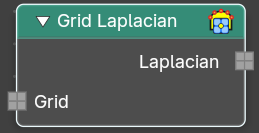
Compute the divergence of the gradient of the input grid.
| Entry | What it does |
|---|---|
| Inputs | Grid: The input grid. |
| Output | Laplacian: The output grid. |
Write
Add menu - Volume

Here you find nodes to modify the volume.
Grid Background
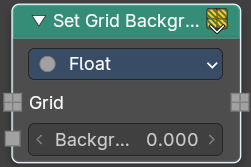
Set the background value used for inactive voxels and tiles.
Inputs
| Entry | What it does |
|---|---|
| Grid | Standard geometry input. |
| Background | Volume density per voxel. Higher values makes it more dense. |
Properties
Data Type
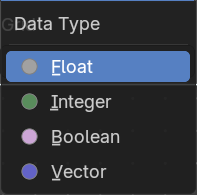
What data type to calculate.
Output
Grid
The grid output.
Set Grid Transform
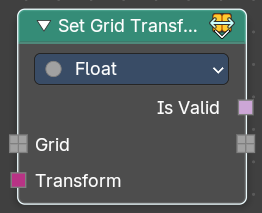
Set the transform for the grid from index space into object space.
Inputs
| Entry | What it does |
|---|---|
| Grid | Standard geometry input. |
| Transform | The input transform. |
Properties
Data Type
What data type to calculate.
Output
| Entry | What it does |
|---|---|
| Is Valid | If the new transform is successfully applied and working. |
| Grid | The grid output. |
Store Named Grid
Set the transform for the grid from index space into object space.
Inputs
| Entry | What it does |
|---|---|
| Volume | The volume input. |
| Name | The name |
| Grid | Standard geometry input. |
Properties
Data Type
What data type to calculate.
Output
Volume Geometry
The volume geometry to add to.
Operations
Add menu - Volume - Operations
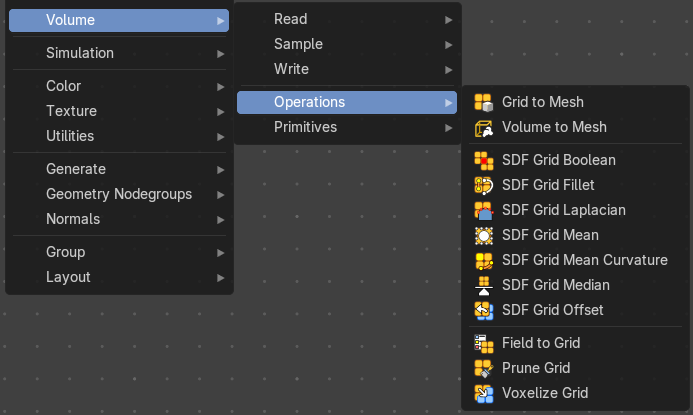
Here you find nodes to modify the volume.
Grid to Mesh
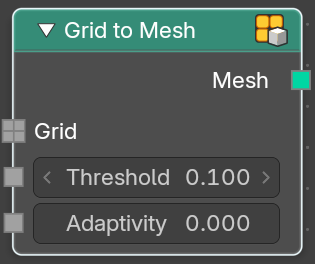
Generate a mesh on the surface of a volume grid.
| Entry | What it does |
|---|---|
| Inputs | Grid: Standard grid input. · Threshold: Values larger than the threshold are inside the generated mesh. · Adaptivity: The input radius |
| Output | Mesh: The generated mesh. |
Volume to Mesh
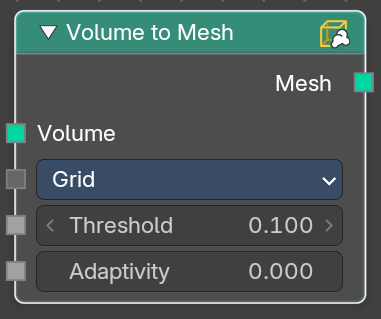
The Volume to Mesh node generates a mesh on the “surface” of a volume. The surface is defined by a threshold value. All voxels with a larger value than the threshold are considered to be outside.
Note that currently this node only works on volumes generated using geometry nodes.
Inputs
Volume
Standard geometry input.
Resolution
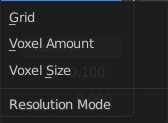
Base the voxel resolution at the gridsize, the amount or the size of the point cloud.
| Entry | What it does |
|---|---|
| Threshold | The voxel amount to use. |
| Adaptivity | The input radius. |
Output
Mesh
The generated mesh.
SDF Grid Boolean
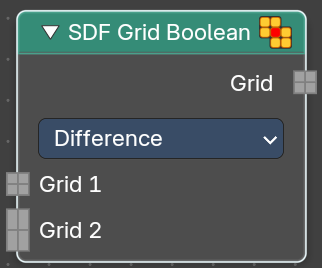
Bool multiple sdf grids with each other.
| Entry | What it does |
|---|---|
| Inputs | Grid 1: The first input grid. · Grid 2: The second input grid |
| Properties | Operation: The bool method. |
| Output | Grid: The generated grid. |
SDF Grid Fillet
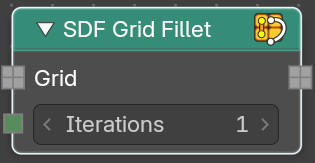
Round off concave internal corners in a signed distance field. Only affects areas with negataive principal curvature. This creates smoother transitions between surfaces.
| Entry | What it does |
|---|---|
| Inputs | Grid: The input grid. · Iterations: How often to run the algorithm. |
| Output | Grid: The generated grid. |
SDF Grid Laplacian
Apply laplacian flow smoothing to a signed distance field.
| Entry | What it does |
|---|---|
| Inputs | Grid: The input grid. · Iterations: How often to run the algorithm. |
| Output | Grid: The generated grid. |
SDF Grid Mean
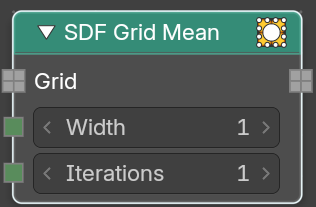
Apply lmean (box) filter smoothing to a signed distance field. Fast separable averaging filter for general smoothing of the distance field.
| Entry | What it does |
|---|---|
| Inputs | Grid: The input grid. · Width: Filter kernel radius in voxel. · Iterations: How often to run the algorithm. |
| Output | Grid: The generated grid. |
SDF Grid Mean
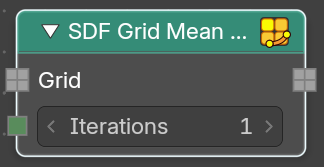
Apply mean filter smoothing to a signed distance field. Evolves the surface based on its mean curvature. This smooths high curvature regions more than flat areas.
| Entry | What it does |
|---|---|
| Inputs | Grid: The input grid. · Iterations: How often to run the algorithm. |
| Output | Grid: The generated grid. |
SDF Grid Median
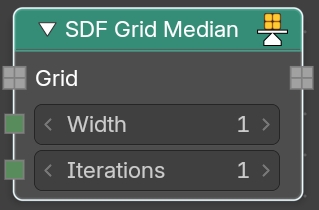
Apply median filter smoothing to a signed distance field. Reduces nioise while preserving sharp features and edges in the distance field.
| Entry | What it does |
|---|---|
| Inputs | Grid: The input grid. · Width: Filter kernel radius in voxel. · Iterations: How often to run the algorithm. |
| Output | Grid: The generated grid. |
SDF Grid Offset
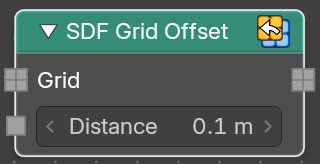
Offset a signed distance field surface by a world space distance. It dilates or erodes while maintaining the signed distance property.
| Entry | What it does |
|---|---|
| Inputs | Grid: The input grid. · Distance: Object space distance to offset the sdf surface. |
| Output | Grid: The generated grid. |
Field to Grid
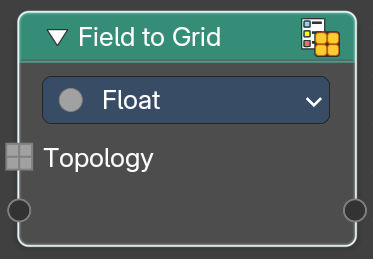
Create new grids by evaulating new values on an existing volume grid topology.
Inputs
| Entry | What it does |
|---|---|
| Topology | The input topology. |
| Properties | — |
Data Type
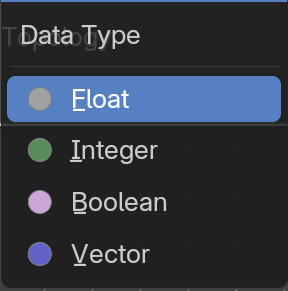
The data type to evaluate.
Output
Grid
The generated grid.
Prune Grid
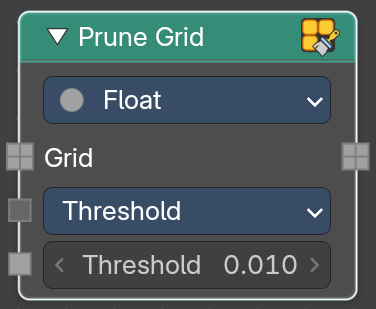
Create new grids by evaulating new values on an existing volume grid topology.
Inputs
Grid
The input grid.
Mode
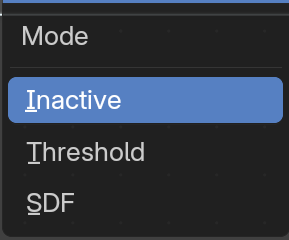
How to progress the state.
| Entry | What it does |
|---|---|
| Inactive | Turn inactive voxels and tiels into inactive background tiles. |
| Threshold | Turn regioons where all voxels have the same value and active state into inactive background tiles. You will see a threshold slider. |
| SDF | Replace inactive tiles with inactive nodes. |
Properties
Data Type
The data type to evaluate.
Output
Grid
The generated grid.
Prune Grid
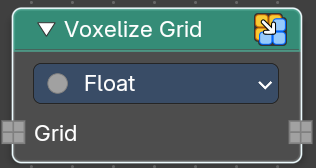
Create new grids by evaulating new values on an existing volume grid topology.
Inputs
| Entry | What it does |
|---|---|
| Grid | The input grid. |
| Properties | — |
Data Type
The data type to evaluate.
Output
Grid
The generated grid.
Primitives
Add menu - Volume - Primitives
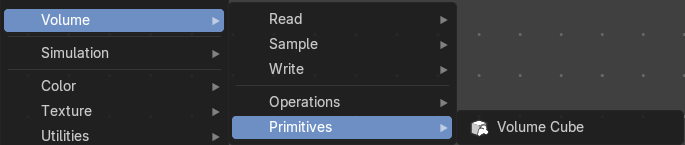
Here you find nodes to modify the volume.
Volume Cube
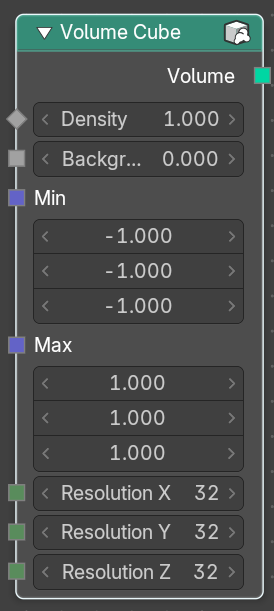
The Volume Cube node generates a voxel based volume cube primitive that can be used for volume conversion to mesh in conjunction with the Volume to Mesh node.
Inputs
| Entry | What it does |
|---|---|
| Geometry | Standard geometry input. |
| Density | Volume density per voxel. Higher values makes it more dense. |
| Background | Value per voxel outside the cube domain. |
| Min: | Minimum boundary of the volume cube. Max: Maximum boundary of the volume cube. Resolution X Number of volume voxules in the X axis. Resolution Y Number of volume voxules in the Y axis. Resolution Z Number of volume voxules in the Z axis. |