
































































Mesh
Mesh nodes: Read, Sample, Write, Operations, Primitives, Topology….
Read
Add menu - Mesh - Read
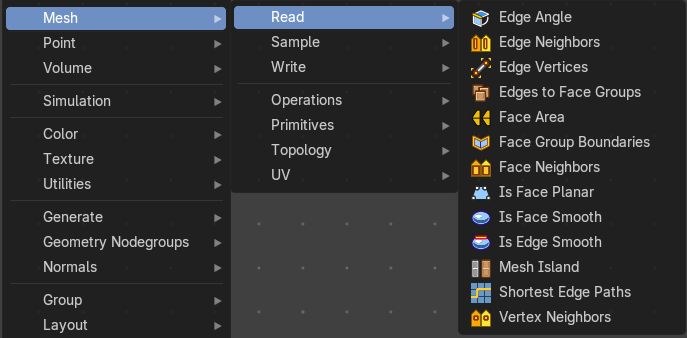
Nodes to modify the mesh geometry.
Edge Angle
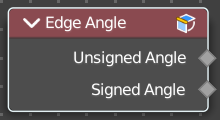
Calculates the angle in radians between two faces that meet at an edge. Without two faces on the edge, the angle will be 0.
Outputs
| Entry | What it does |
|---|---|
| Unsigned Angle | The unsigned output angle. The shortest angle will be picked. |
| Signed Angle | The signed angle between the two faces, where Convex angles are positive and Concave angles are negative. This calculation is slower than the unsigned angle. |
Edge Neighbours
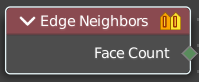
Outputs the number of faces connected to each edge.
Outputs
Face Count
The number of faces.
Edge Vertices
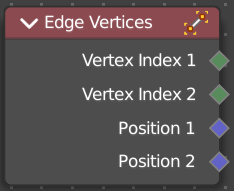
Outputs the index and position of the two vertices that defines an edge. Index outputs an integer. Position a vector.
Outputs
| Entry | What it does |
|---|---|
| Vertex Index 1 | The index of the first vertice. |
| Vertex Index 2 | The index of the second vertice. |
| Position 1 | The position of the first vertice. |
| Position 2 | The position of the second vertice. |
Edges to Face Group
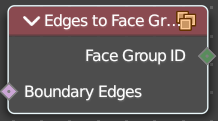
Group Faces into regions, surrounded by the selected boundary edges.
| Entry | What it does |
|---|---|
| Inuputs | Boundary Edges: The input edges. |
| Outputs | Face Group ID: The output face group. |
Face Area
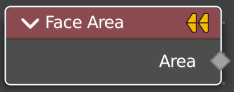
Gives each face area a unique id. Which can be used in a capture attribute for example, to create instances of other geometry to this now unique face areas.
Outputs
Area
The face area output.
Face Group Boundaries
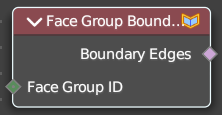
Find edges on the boundaries between face sets
| Entry | What it does |
|---|---|
| Inputs | — |
| Face Set | The input face sets to calculate the boundaries from. |
| Outputs | Boundary Edges: The edges that lies on the boundaries between the different face sets · Face Count: The face count for the face neighbors. |
Face Neighbours
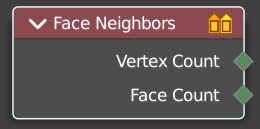
Outputs the number of vertices or faces connected to each face.
Outputs
| Entry | What it does |
|---|---|
| Vertex Count | The vertex count for the face neighbors. |
| Face Count | The face count for the face neighbors. |
Is Face Planar
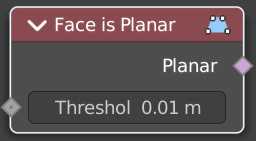
Returns true if all of the points of the evaluated face are on the same plane.
| Entry | What it does |
|---|---|
| Inputs | Threshold: The threshold to consinder the points to be at the same plane. |
| Outputs | Planar: True if the face is planar. |
Is Face Smooth
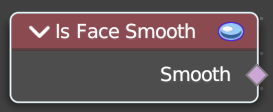
Retreives if the face is shaded smooth.
Outputs
Smooth
Smooth output.
Is Edge Smooth
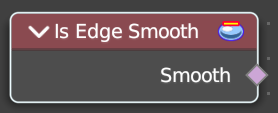
Retreives if the edge is shaded smooth.
Outputs
Smooth
Smooth output.
Mesh Island
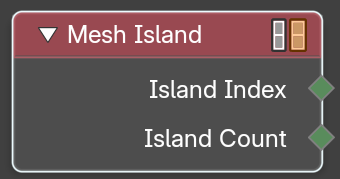
Outputs a separate index for each mesh island. The indices are based on the order of the lowest-numbered vertex in each island.
Outputs
| Entry | What it does |
|---|---|
| Index Index | The index output. |
| Island Count | The count output. |
Shortest Edge Path
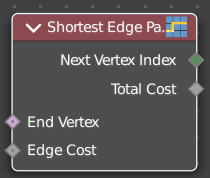
Calculates the shortest path from multiple start points.
| Entry | What it does |
|---|---|
| Input | End Vertex: The last point of the path. · Edge Cost: The amount of calculation to find the shortest path. |
| Outputs | Next Vertex Index: The vertices index of the shortest path. · Total Cost: The calculation amount. |
Vertex Neighbors
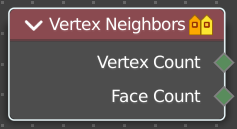
Outputs the number of vertices or faces connected to each vertex.
Outputs
| Entry | What it does |
|---|---|
| Vertex Count | The vertex count for the vertex neighbors. |
| Face Count | The face count for the vertex neighbors. |
Sample
Add menu - Mesh - Sample

Nodes to modify the mesh geometry.
Sample Nearest Surface
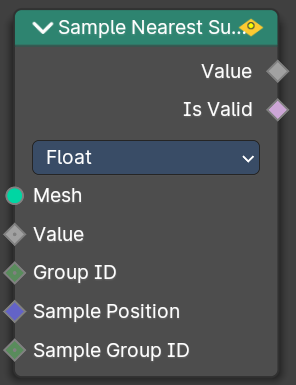
Calculate the interpolated value of a mesh attribute on the closest point of its surface.
Inputs
| Entry | What it does |
|---|---|
| Mesh | Input mesh. |
| Value | The value to calculate. |
| Group ID | Is evaluated on the face domain, and splits the input mesh into multiple parts, each with its own id. |
| Sample Position | The sample position to calculate. |
| Sample Group ID | Determines in which group the closest nearest surface is detected. |
Properties
Data Type
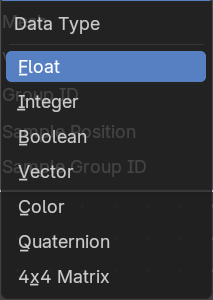
Which data to calculate.
Outputs
| Entry | What it does |
|---|---|
| Value | The output value. |
| Is Valid | Wether the sampling was successful. It is false when the sampled group is empty. |
Sample UV Surface
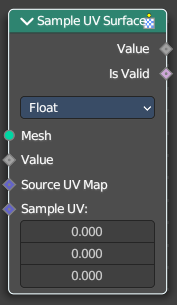
Calculate the interpolated value of a mesh attribute at a UV coordinate.
Inputs
| Entry | What it does |
|---|---|
| Mesh | Input mesh. |
| Value | The value to calculate. |
| Source UV Map | The input UV map. |
| Sample UV | The sample position to calculate. |
Properties
Data Type
Which data to calculate.
Outputs
| Entry | What it does |
|---|---|
| Value | The output value. |
| Is Valid | Wether the node could find a single face to sample at the uv coordinate. |
Write
Add menu - Mesh - Write

These are nodes for working with Mesh data.
Set Mesh Normal
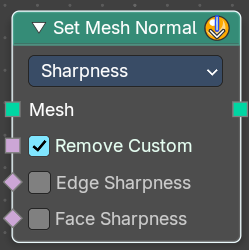
The Set Mesh Normal node is used to modify custom normals on a mesh, providing control over shading smoothness and surface appearance. This is useful for adjustingnormalsmoothness, sharp edges, and tangent-based effects
Input
Mesh
Input mesh.
Properties
Mode
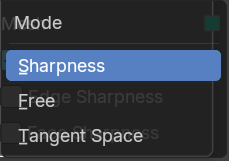
Sharpness
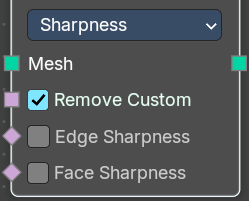
Controls the intensity of edge sharpness. Higher values create stronger shading contrasts between faces.
Store the sharpness of each face or edge. Similar to the "Shade Smooth" and "Shade Flat" operators.
| Entry | What it does |
|---|---|
| Remove Custom | Removes custom normals previously set by the user on the original mesh data when enabled. |
| Edge Sharpness | Sets the normal sharpness to the edge domain to “flat”. |
| Face Sharpness | Sets the normal sharpness to the face domain to “flat”. |
Free
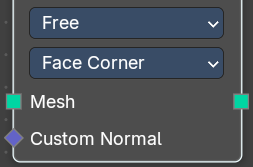
Allows direct manipulation of normals as free vectors, rather than constrained by geometry. Useful for custom shading effects and non-destructive normal adjustments.
Domain
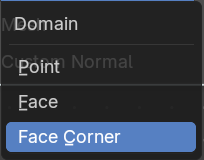
Attribute domain to store the free custom normals.
- Point
- Face
- Face Corner
Note: Default object normals are stored to Facecorner, this will “pass-through” the normal data. Face normals will make “flat” sharp edges.
Tangent Space
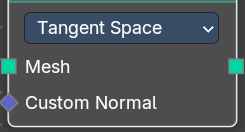
Adjusts normals relative to the surface tangentto store the source meshes normals.Storesnormals in a deformation dependent custom transformation space.
Note: This method is slower, but can be better when subsequent operations change the mesh without handling normals specifically.
Custom Normal
Vector Field based on the normal.
Outputs
Geometry
Geometry output.
Got it! Here's the documentation for the Set Mesh Normal node:
Set Shade Smooth
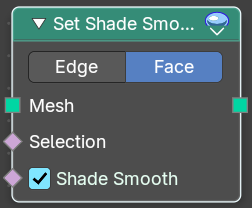
Retrieves if the geometry is shaded smooth.
Input
| Entry | What it does |
|---|---|
| Geometry | Input mesh. |
| Selection | A selection of the input mesh. |
| Shade Smooth | Set the shading to smooth. |
Properties
Domain
| Entry | What it does |
|---|---|
| Edge | Set Edge to smooth. |
| Face | Set Face to smooth |
Outputs
Geometry
Geometry output.
Operations
Add menu - Mesh - Operations
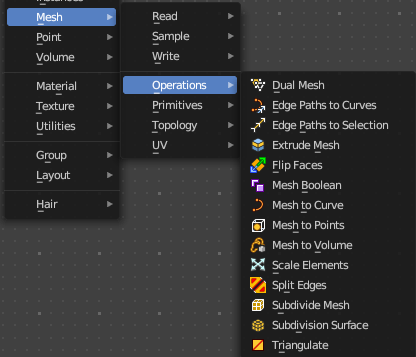
Nodes to modify the mesh geometry.
Dual Mesh
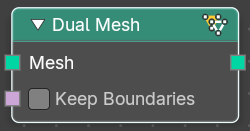
The Dual Mesh node calculates the dual of the input mesh. This means that faces get replaced with vertices and vertices with faces.
| Entry | What it does |
|---|---|
| Inputs | Mesh: The input mesh. · Keep Boundaries: Keep the (non-manifold) boundaries of the mesh intact. |
| Outputs | Dual Mesh: The output mesh. |
Edge Paths to Curves
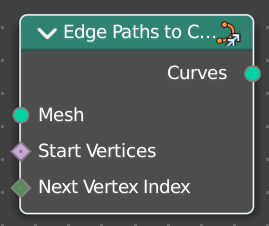
Converts Edge Paths to Curves.
| Entry | What it does |
|---|---|
| Inputs | Mesh: The input mesh. · Start Vertices: The start vertices of the edge path. · Next Vertex Index: The edge path by index. |
| Outputs | Curves: The output curve. |
Edge Path to Selection
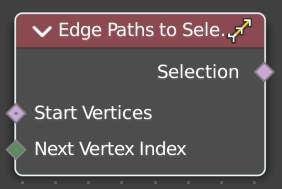
Calculates an edge path, and converts it to a selectoin
| Entry | What it does |
|---|---|
| Inputs | Start Vertices: The start vertices of the edge path. · Next Vertex Index: The edge path by index. |
| Outputs | Selection: The selection |
Extrude Mesh
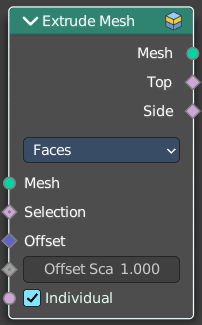
Extrudes out geometry at the selection by a given amount.
Inputs
| Entry | What it does |
|---|---|
| Mesh | The input mesh. |
| Selection | A selection of the mesh. |
| Offset | The offset amount. |
| Offset Scale | The offset scale. Without an offset this is equal the amount. |
| Individual | Just Faces mode. Extrude out individual faces. |
Properties
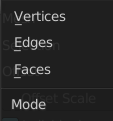
Mode
What kind of elements to extrude out. Vertices, Edges or Faces.
Outputs
| Entry | What it does |
|---|---|
| Mesh | The output mesh. |
| Top | The top elements of the extrusion. |
| Side | The side elements of the extrusion. |
Flip Faces
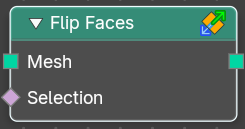
Flips the winding order of the selected faces.
Blender developers decided not to call it Flip Normals. Since "normals are
derived data, changing them is only a side effect." However, what the node does is in fact to flip the normals.
| Entry | What it does |
|---|---|
| Inputs | Mesh: The input mesh. · Selection: A selection of the input mesh. |
| Outputs | Dual Mesh: The output mesh. |
Mesh Boolean
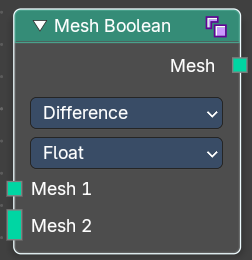
The Boolean Node allows you to cut, subtract, and join the geometry of two inputs. This node offers the same operations as the Boolean modifier.
Inputs
| Entry | What it does |
|---|---|
| Mesh 1 | Standard geometry input. |
| Mesh 2 | Standard geometry input. |
| Self Intersect | Allow self intersection. |
| Hole Tolerant | Allow holes. |
Properties
Operation
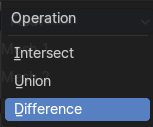
The boolean operation.
| Entry | What it does |
|---|---|
| Intersect | Produce a new geometry containing only the volume inside of both geometry 1 and geometry 2. |
| Union | The two input pieces of geometry are joined, then any interior elements are removed. |
| Difference | Geometry 2 is subtracted from geometry 1 (everything outside of geometry 2 is kept). |
Solver
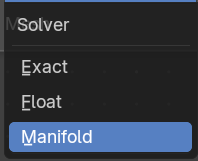
| Entry | What it does |
|---|---|
| Float | Simple solver for the best performance. Does not support overlapping geometry. |
| Exact | Exact solver for the most accurate result. |
| Manifold | Fastest solver with best result, but only works on manifold meshes. |
Output
| Entry | What it does |
|---|---|
| Geometry | Standard geometry output. |
| Intersecting Edges | Outputs the intersecting edges. |
Mesh to Curve
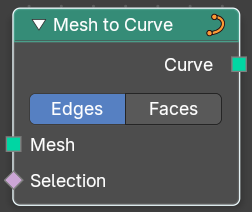
Converts a mesh geometry to a curve geometry.
| Entry | What it does |
|---|---|
| Inputs | Mesh: Input mesh. · Selection: A selection of the input mesh. |
| Properties | Mode: Edges or Faces. |
| Outputs | Curve: Standard curve output. |
Mesh to Density Grid
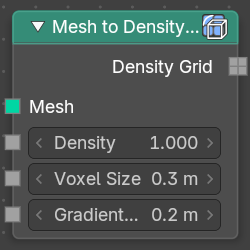
Converts a mesh geometry to a curve geometry.
| Entry | What it does |
|---|---|
| Inputs | Mesh: Input mesh. · Density: Mesh density. · Voxel Size: The vodel size. · Gradient Width: The width of the gradient. |
| Outputs | Density Grid.: Density Grid output. |
Mesh to Points
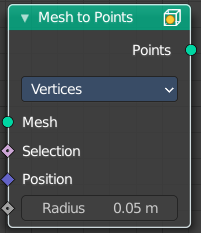
Converts a mesh geometry to a point geometry.
Inputs
| Entry | What it does |
|---|---|
| Mesh | Input mesh. |
| Selection | A selection of the input mesh. |
| Position | The position of the points. |
| Radius | The radius of the points |
Properties
Mode
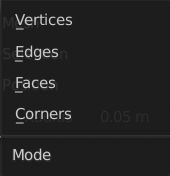
What geometry to convert to points.
Outputs
Curve
Standard curve output.
Mesh to SDF Grid
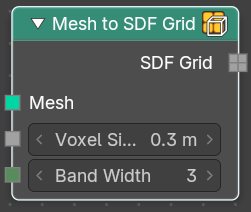
Converts a mesh geometry to a curve geometry.
| Entry | What it does |
|---|---|
| Inputs | Mesh: Input mesh. · Voxel Size: The vodel size. · Band Width: The width of the band. |
| Outputs | Density Grid.: Density Grid output. |
Mesh to Volume
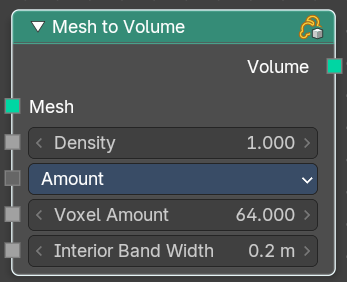
Converts a mesh geometry to a Volume.
Inputs
| Entry | What it does |
|---|---|
| Mesh | Input mesh. |
| Density | The density of the volume |
Resolution Mode
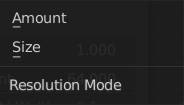
How to calculate the volume. Based of the size or based at the amount.
| Entry | What it does |
|---|---|
| Voxel Amount / Voxel Size | The voxel amount / the voxel size. |
| Interior Bandwidth | Where to start the calculation inside of the volume. |
Outputs
Volume
The volume output.
Scale Elements
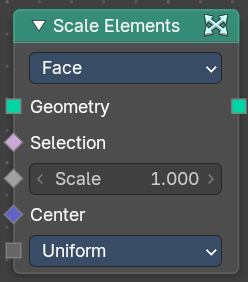
Allows to scale the selected elements.
Inputs
| Entry | What it does |
|---|---|
| Geometry | Standard geometry input. |
| Selection | A selection of the geometry. |
| Scale | The scale factor |
| Center | The center of the scaling. |
Scale Mode
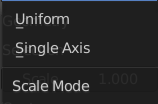
Uniform scales uniformly in all three world coordinates.
Single Axis scales separately in the single axis.
Axis
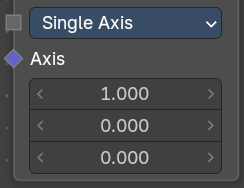
Scale Mode Single axis only. Scale the selection separately along its single axis.
Properties
Domain
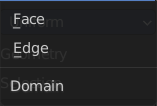
What kind of elements to scale.
Outputs
Geometry
The output geometry.
Split Edges
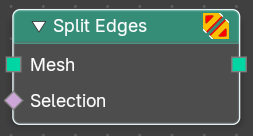
Splits the edges of the geometry.
Note that splitting edges breaks the mesh topology.
| Entry | What it does |
|---|---|
| Inputs | Mesh: Input mesh. · Selection: A selection of the input mesh. |
| Outputs | Mesh: Standard Mesh output. |
Subdivide Mesh
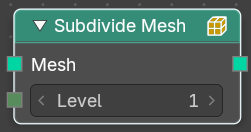
Subdivides the geometry by a simple division.
| Entry | What it does |
|---|---|
| Inputs | Geometry: Standard geometry input. · Level: To which degree the geometry will be deformed. |
| Outputs | Geometry: Standard geometry output. |
Subdivision Surface
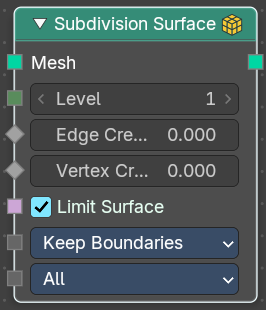
The Subdivision Surface node subdivides the geometry using Catmull-Clark deformation.
Inputs
| Entry | What it does |
|---|---|
| Mesh | Standard geometry input. |
| Level | To which degree the geometry will be deformed. |
| Edge Crease | Control how smooth edges should be with Weighted Edge Creases. |
| Vertex Crease | Control how smooth edges should be with Weighted Vertex Creases. |
| Limit Surface | Place the vertices at the surface as if it would be infinite subdivided. This results in the smoothest possible shape. |
UV Smooth
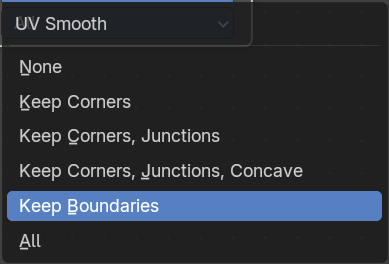
The methbod to deal with smoothing the UV.
Boundary Smooth
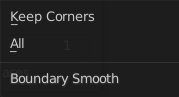
Controls if open boundaries and corners are smooth.
Outputs
Geometry
Standard geometry output.
Triangulate
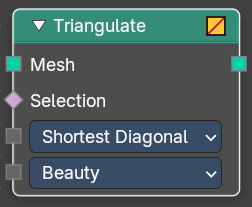
The Triangulate node triangulates all faces in a mesh.
Inputs
| Entry | What it does |
|---|---|
| Geometry | Standard geometry input. |
| Minimum Vertices | Minimum number of vertices a face must have to be triangulated. For example, setting this value to 5, will prevent triangulation of Quads and only triangulate N-gons. |
Properties
Quad Method
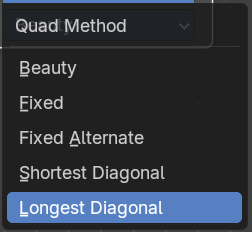
A quad is a polygon with four edges.
| Entry | What it does |
|---|---|
| Beauty | Split the quads in nice triangles, slower method. |
| Fixed | Split the quads on their 1st and 3rd vertices. |
| Fixed Alternate | Split the quads on their 2nd and 4th vertices. |
| Shortest Diagonal | Split the quads based on the shortest diagonal distance between their vertices. |
| Longest Diagonal | Split the quads based on the longest diagonal distance between their vertices. |
Polygon Method
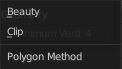
Meant are N-Gons. Faces with more than four edges. Tris, Quads and N-Gons are all Polygons.
| Entry | What it does |
|---|---|
| Beauty | Arrange the new triangles nicely, slower method. |
| Clip | Split the polygons using an ear-clipping algorithm (gives similar results to the tessellation used for the viewport rendering). |
Outputs
Geometry
Standard geometry output.
Primitives
Add menu - Mesh - Primitives
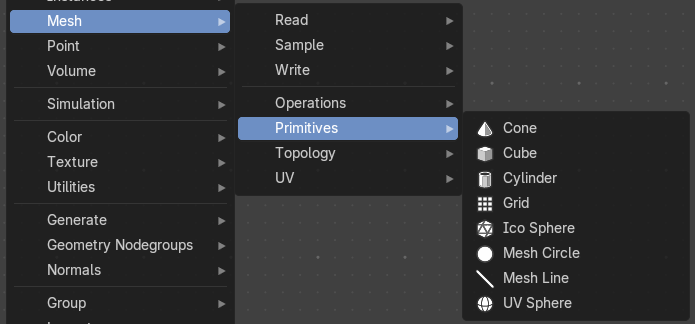
Nodes to modify the mesh geometry.
Cone
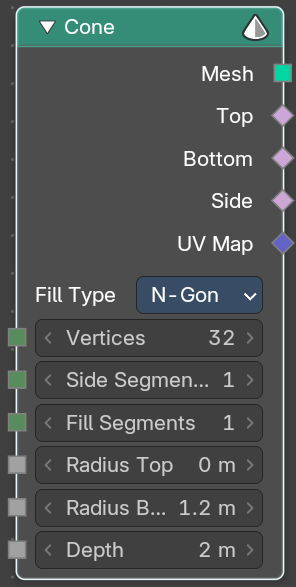
Cone creates a Cone mesh.
Input
| Entry | What it does |
|---|---|
| Vertices | Number of vertices. |
| Radius Top | The initial radius at the top. |
| Side Segments | Adjust the number of segments at the side. |
| Fill Segments | Adjust the number of segments at the fill faces. |
| Radius Bottom | The initial radius at the bottom. |
| Depth | The initial height. |
Properties
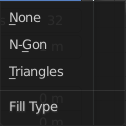
Fill Type
Defines how the Circle mesh is filled.
| Entry | What it does |
|---|---|
| None | pure edge geometry. |
| N-Gon | The circle face is a N-Gon face. |
| Triangles | The circle face is triangulated. |
Outputs
| Entry | What it does |
|---|---|
| Mesh | Mesh output. |
| Top | Top radius output. |
| Bottom | Bottom radius output. |
| Side | The depth output |
| UV Map | UV map output. |
Cube
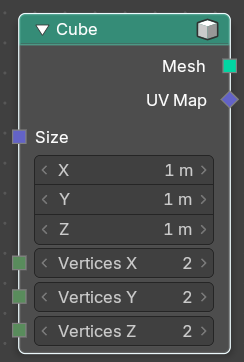
Cube creates a Cubeoid mesh.
| Entry | What it does |
|---|---|
| Input | Size: The initial size in X , Y and Z dimensions · Vertices: How much vertices the single edges has. This allows to subdivide the cube. |
| Output | Mesh: Mesh output. · UV Map: UV map output. |
Cylinder
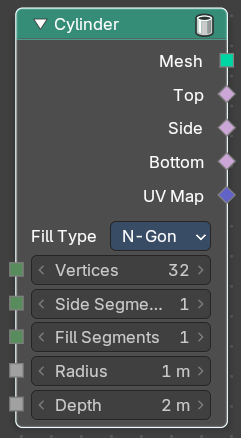
Cylinder creates a Cylinder mesh.
Input
| Entry | What it does |
|---|---|
| Vertices | Number of vertices. |
| Side Segments | Adjust the number of segments at the side. |
| Fill Segments | Adjust the number of segments at the fill faces. |
| Radius | The initial radius. |
| Depth | The initial height. |
Properties
Fill Type
Defines how the Circle mesh is filled.
| Entry | What it does |
|---|---|
| None | pure edge geometry. |
| N-Gon | The circle face is a N-Gon face. |
| Triangles | The circle face is triangulated. |
Outputs
| Entry | What it does |
|---|---|
| Mesh | Mesh output. |
| Top | Top radius output. |
| Bottom | Bottom radius output. |
| Side | The depth output |
| UV Map | UV map output. |
Grid
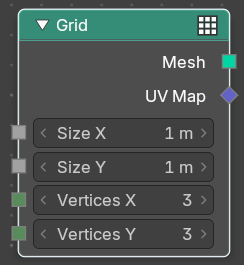
Grid creates a grid mesh.
| Entry | What it does |
|---|---|
| Input | Size: The initial size. · Vertices X: The initial number of vertices in X direction. · Vertices Y: The initial number of vertices in Y direction. |
| Outputs | Mesh: Mesh output. · UV Map: UV map output. |
Ico Sphere
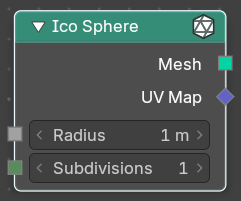
Ico Sphere creates a ico Sphere mesh.
| Entry | What it does |
|---|---|
| Input | Radius: The initial radius. · Subdivisions: The initial subdivisions. |
| Outputs | Mesh: Mesh output. · UV Map: UV map output. |
Mesh Circle
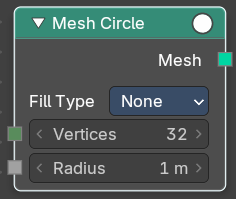
Circle creates a Circle mesh.
Input
| Entry | What it does |
|---|---|
| Vertices | Number of vertices. |
| Radius | The initial radius. |
Properties
Fill Type
Defines how the Circle mesh is filled.
| Entry | What it does |
|---|---|
| None | pure edge geometry. |
| N-Gon | The circle face is a N-Gon face. |
| Triangles | The circle face is triangulated. |
Outputs
Mesh
Mesh output.
Mesh Line
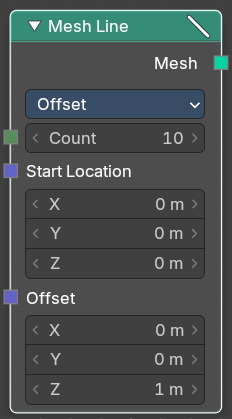
Line creates a line mesh.
Input
| Entry | What it does |
|---|---|
| Count | The initial number of segments. |
| Start Location | The initial location. |
| Offset | The initial offset. |
Properties
Mode
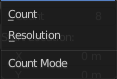
Offset
Specify the offset from one vertice to the next.
End Points
Specify the line start and endpoints.
Count ModeCount
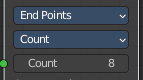
Specify the number of total vertices.
End Points
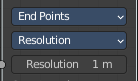
Specify the distance between the vertices.
Outputs
Mesh
Mesh output.
UV Sphere
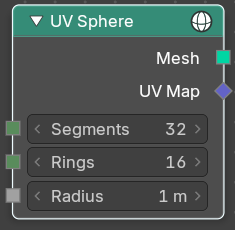
UV Sphere creates a uv sphere mesh.
| Entry | What it does |
|---|---|
| Input | Segments: The initial number of segments. · Rings: The initial number of edgerings. · Radius: The initial radius. |
| Outputs | Mesh: Mesh output. · UV Map: UV map output. |
Topology
Add menu - Mesh - Topology
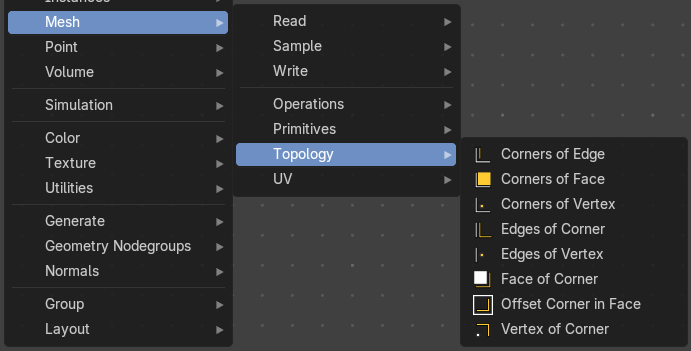
Mesh topology related nodes.
Corners of Edge
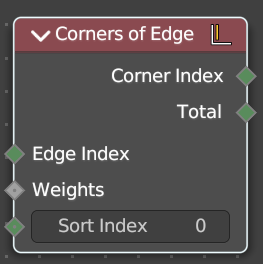
Retreive the corners that makes up a edge.
| Entry | What it does |
|---|---|
| Input | Face Index: The face to get the data from. · Weights: Values used to sort the corners of the face. · Sort Index: Which of the corners to output. |
| Outputs | Corner Index: The output corner. · Total: The number of corners in the face. |
Corners of Face
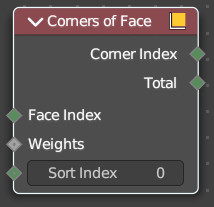
Retreive the corners that makes up a face.
| Entry | What it does |
|---|---|
| Input | Face Index: The face to get the data from. · Weights: Values used to sort the corners of the face. · Sort Index: Which of the corners to output. |
| Outputs | Corner Index: The output corner. · Total: The number of corners in the face. |
Corners of Vertex
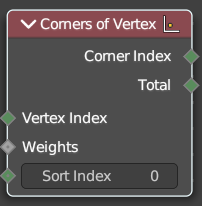
Retreive face corners connected to vertices.
| Entry | What it does |
|---|---|
| Input | Vertex Index: The vertice to get the data from. · Weights: Values used to sort the corners attached to the vertice. · Sort Index: Which of the corners to output. |
| Outputs | Corner Index: The output corner. · Total: The number of corners connected to each vertice. |
Edges of Corner
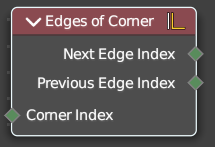
Retreive the edges of both sides of a corner.
| Entry | What it does |
|---|---|
| Input | Corner Index: The corner to retreive the data from. |
| Outputs | Next Edge Index: The edge behind the corner. · Previous Edge Index: The edge before the corner. |
Edges of Vertex
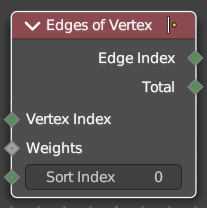
Retreive the edges connected to each vertex.
| Entry | What it does |
|---|---|
| Input | Vertex Index: The vertice to get the data from. · Weights: Values used to sort the edges attached to the vertice. · Sort Index: Which of the edges to output. |
| Outputs | Edge Index: The output edge. · Total: The number of edges connected to each vertice. |
Face of Corner
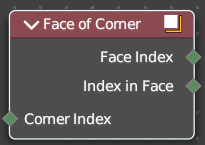
Retreive the faces connected to each corner.
| Entry | What it does |
|---|---|
| Input | Corner Index: The corner to get the data from. |
| Outputs | Face Index: The output faces. · Index in Face: The index of the corner, starting from the first corner in the face. |
Offset Corner in Face
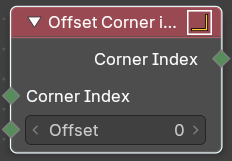
Retreive corners within the same face as another
| Entry | What it does |
|---|---|
| Input | Corner Index: The corner to get the data from. · Offset: The numbers of corners to move around the face before getting the result. It circles around the start of the face if necessary. |
| Outputs | Corner Index: The index of the offset corner. |
Vertex of corner
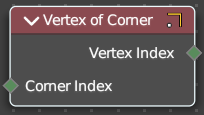
Retreive the vertex each corner is attached to.
| Entry | What it does |
|---|---|
| Input | Corner Index: The corner to get the data from. · Offset: The numbers of corners to move around the face before getting the result. It circles around the start of the face if necessary. |
| Outputs | Vertex Index: The vertex each corner is attached to. |
UV
Add menu - UV
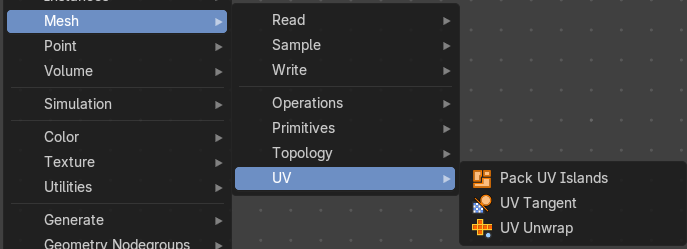
Here you find nodes to modify the UV mapping.
Pack UV Islands
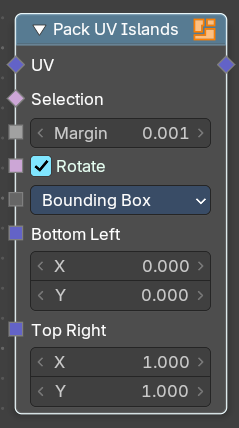
Pack the UV islands to get the most out of the UV mapping.
Inputs
| Entry | What it does |
|---|---|
| UV | The input UV geometry. |
| Selection | A selection of the UV geometry. |
| Margin | How big the gap between the single UV patches should be. |
| Rotate | Rotate island for best fit. |
Method
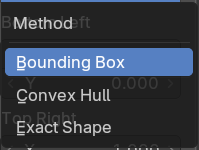
Method used for packing UV Islands.
| Entry | What it does |
|---|---|
| Bottom Left | Bottom left corner of packing bounds. |
| Top Right | Top right corner of packing bounds. |
Outputs
UV
The output UV geometry.
UV Tangent
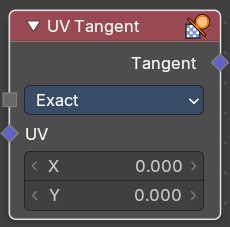
Generate tangent directions based on a UV map.
Inputs
Method
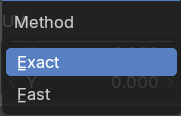
Exact or fast calculation.
UV
x and y values of the UV space.
Outputs
Tangent
The output UV geometry.
UV Unwrap
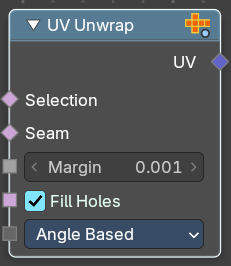
Unwrap the mesh to give it an UV mapping.
Inputs
| Entry | What it does |
|---|---|
| Selection | Which faces of the mesh should be unwrapped. |
| Seam | Mark edges as a seam for unwrapping. |
| Margin | How big the gap between the single UV patches should be. |
| Fill Holes | Virtually fill holes before unwrapping the mesh. This preserves symmetry and can avoids overlaps. |
Method
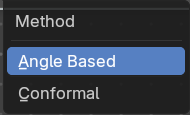
The unwrap method.
Outputs
UV
The output UV geometry.