
































































Editors

Grease Pencil
Grease Pencil nodes: Read, Write, Operations.
Read
Add menu - Grease Pencil - Read
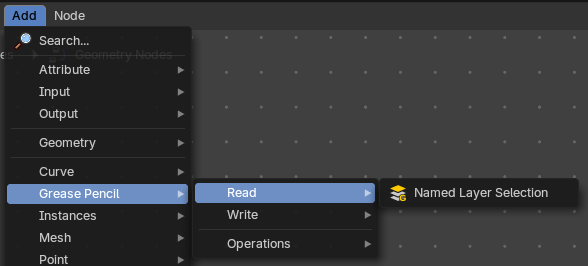
Grease pencil nodes.
Named Layer Selection
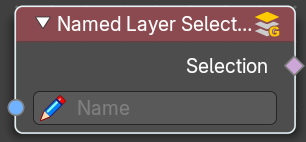
Outputs a selection of a grease pencil layer by its name.
| Entry | What it does |
|---|---|
| Inputs | Name: The name of the selection. |
| Outputs | Selection: The selected grease pencil geometry. |
Write
Add menu - Grease Pencil - Write

Grease pencil nodes.
Set Grease Pencil Color

Sets the color and opacity of a grease pencil geometry.
Inputs
| Entry | What it does |
|---|---|
| Grease Pencil | The grease pencil geometry. |
| Selection | A selection of the grease pencil geometry. |
| Color | The color. |
| Opacity | The opacity. |
Properties
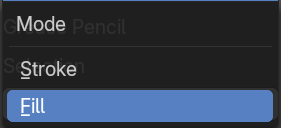
Mode
| Entry | What it does |
|---|---|
| Fill | Change the fill color. |
| Stroke | Change the stroke color. |
Outputs
Color
The grease pencil output with changed colors.
Set Grease Pencil Depth
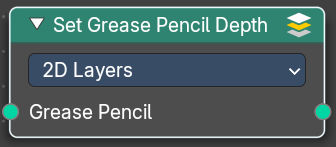
Set the grease pencil depth order to use. By 2d layers, or by the position in 3d space.
Inputs
Grease Pencil
The grease pencil geometry.
Properties
Depth Order
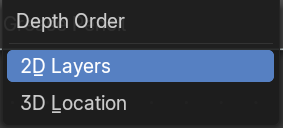
| Entry | What it does |
|---|---|
| 2D Layers | Set the grease pencil depth by the 2d layers. |
| 3D Location | Set the grease pencil depth by the postion in 3d space. |
Outputs
Grease Pencil
The grease pencil geometry.
Set Grease Pencil Softness
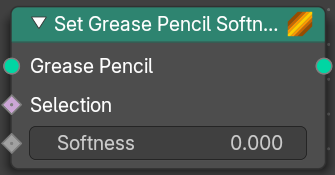
Adjust the falloff towards the stoke border.
| Entry | What it does |
|---|---|
| Inputs | Grease Pencil: The grease pencil geometry. · Selection: A selection of the grease pencil geometry. · Softness: The falloff softness. A value of 1 means sharp border. A falloff of 0 means a falloff from the center to the border with a complete transparency at the border. |
| Outputs | Grease Pencil: The grease pencil geometry. |
Operations
Add menu - Grease Pencil - Operations
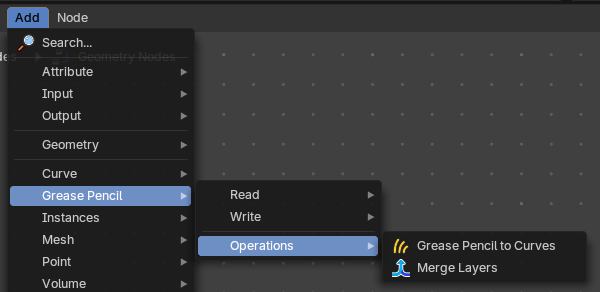
Grease Pencil nodes.
Grease Pencil to Curves

Converts a grease pencil geometry to a curve geometry
| Entry | What it does |
|---|---|
| Inputs | Grease Pencil: The grease pencil geometry. · Selection: A selection of the grease pencil geometry. · Layers as Instances: Generate a separate curve instance for every layer. |
| Outputs | Curves: Curves output. |
Merge Layers
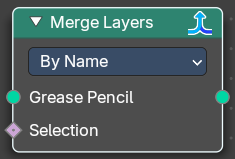
Merge all grease pencil layers into one layer
Grease Pencil
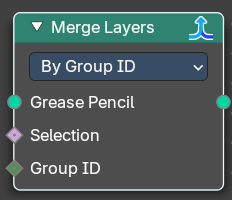
The grease pencil geometry.
| Entry | What it does |
|---|---|
| Selection | A selection of the grease pencil geometry. |
| Group ID | In By Group ID mode. Input a group ID value. |
Properties
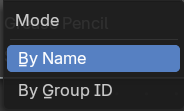
Mode
| Entry | What it does |
|---|---|
| By Name | Combine all layers which have the same name. |
| By Group ID | Combine all layers by a provided Group ID. |
Outputs
Grease Pencil
Grease Pencil geometry output.