
































































Curve
Curve nodes: Read, Sample, Write, Operations, Primitives, Topology.
Read
Add - Curve - Read
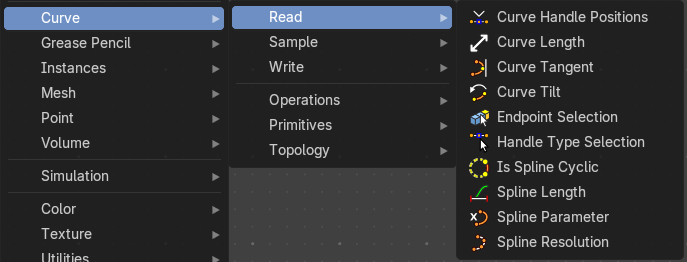
Here you find curve related nodes.
Curve Handle Positions
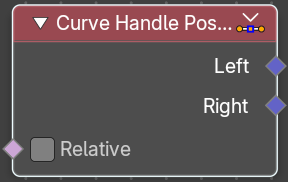
Get the position of the left or right handle of a curve point.
| Entry | What it does |
|---|---|
| Inputs | Relative: Output the handle positions relative to the corresponding control point instead of the local space of the geometry. |
| Outputs | Left: The left handle of the curve point. · Right: The right handle of the curve point. |
Cuve Length
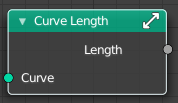
Retreives the length of all splines added together.
| Entry | What it does |
|---|---|
| Inputs | Curve: The input curve. |
| Outputs | Length: The length of the curve. |
Curve Tangent
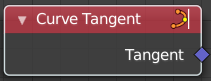
Retreive the tangent direction of a curve. The output values are normalized vectors.
Note that for NURBS and Bézier spline curves the value retrieved from this node is the value at every control point, which may not correspond to the visible evaluated points. For NURBS splines the difference may be even more pronounced and the result may not be as expected. A Resample Curve Node node can be used to create a poly spline, where there is a control point for every evaluated point.
Outputs
Factor
The vector of the tangent.
Curve Tilt
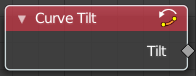
Outputs the angle used to turn the curve normal around the direction of the curve tangent in its evaluated points.
The output is per control point. For NURBS and Bézier splines, the values will be interpolated to the final evaluated points.
Outputs
Tilt
The tilt angle for the normal in radians.
Endpoint Selection
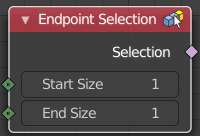
The Endpoint Selection node allows for the Selection of an aribitrary
number of endpoints from each spline in a curve. The start and end
inputs are evaluated on the spline domain. The result is outputted
as a boolean field on the point domain.
| Entry | What it does |
|---|---|
| Input | Start Size: The start point of the spline. · End Size: The end point of the spline. |
| Outputs | Selection: Selection output. |
Handle Type Selection
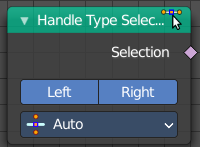
Creates a selection based on the handle types of the control points.
Properties
Left / Right
Wether to check for the type of handles.
Handle Type
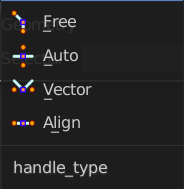
What handle type to compare.
Output
Selection
The selection.
Is Spline Cyclic
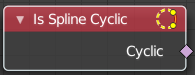
Retreive if the curve is set to cyclic.
Outputs
Cyclic
If the spline is cyclic or not.
Spline Length
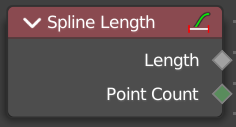
Retreive the total length of each spline in a curve.
Outputs
| Entry | What it does |
|---|---|
| Length | The length of each spline in the curve. |
| Point Count | Integer Field input of the number of control points on each spline in the spline domain. Or in the point domain, it is the number of points on the spline that contains the given control point. |
Spline Parameter
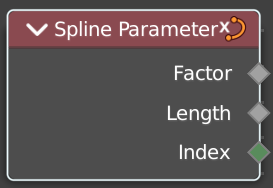
The Curve Parameter node outputs how far along each spline a control point is, with a value between zero and one. The output is different from dividing the index by the total number of control points, because the control points might not be equally spaced along the curve.
The first value is zero, so the output corresponds to the length at the control point rather than including the length of the following segment.
When used on the spline domain, the node outputs the portion of the total length of the curve (including all splines) has been traversed at the start of each spline. The order of the curve’s splines is visible in the Spreadsheet Editor.
Note that for NURBS and Bézier spline curves the value retrieved from this node is the value at every control point, which may not correspond to the visible evaluated points. For NURBS splines the difference may be even more pronounced and the result may not be as expected. A Resample Curve Node node can be used to create a poly spline, where there is a control point for every evaluated point.
Outputs
| Entry | What it does |
|---|---|
| Factor | The factor of the curve. |
| Length | The length of the curve. |
| Index | The index of the curve. |
Spline Resolution
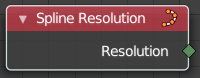
Retreive the curve resolution. Means the number of spline points.
Outputs
Resolution
The spline resolution.
Sample
Add - Curve - Sample
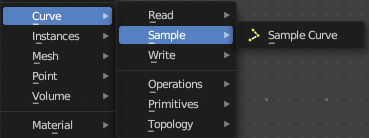
Here you find curve related nodes.
Sample Curve
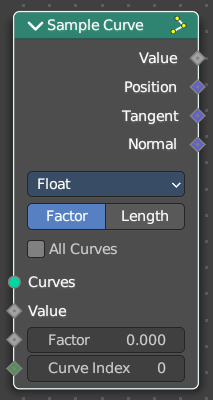
Calculates a point on a curve at a certain distance from the start of the curve, specified by the length or factor inputs. It also outputs data retrieved from that position on the curve.
The sampled values are linearly interpolated from the values at the evaluated curve points at each side of the sampled point.
In case that the curve contains multiple splines, the sample position is found based on the total accumulated length, including the lengths of all previous splines. The order of the splines is the same order as displayed in the Spreadsheet Editor.
Input
| Entry | What it does |
|---|---|
| Curve | The input geometry. |
| Value | Input Value. |
| Mode Factor | Factor: The resample amount with method Factor. · Curve Index: The curve index. |
| Mode Factor | Factor: The resample amount with method Factor. |
| Length | The resample amount with method Length. |
Properties
Data Type
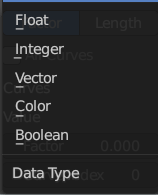
What data to calculate.
| Entry | What it does |
|---|---|
| Sample Curve Mode | How to calculate the curve. By a factor, or by its length. |
| All Curves | Sample lengths based on the length of all curves. |
Output
| Entry | What it does |
|---|---|
| Value | Output Value. |
| Position | The position at the sample along the spline. |
| Tangent | The normalized curve tangent at the sample. |
| Normal | The normalized curve normal at the sample. |
Write
Add - Curve - Write
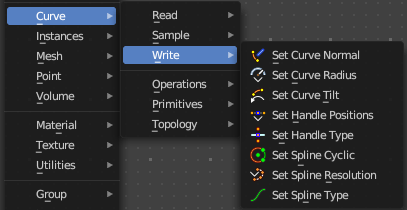
Here you find curve related nodes.
Set Curve Normal
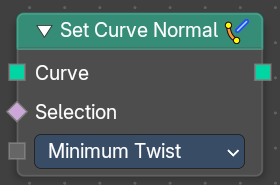
Set the evaluation mode for curve normals.
Input
| Entry | What it does |
|---|---|
| Curve | The input curve. |
| Selection | A selection of the input curve. |
Mode
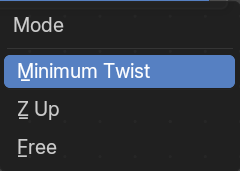
The evaluation mode for the curve normals.
Outputs
Curve
The curve output.
Set Curve Radius
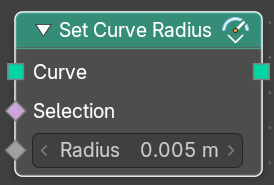
Set the curve radius.
| Entry | What it does |
|---|---|
| Input | Geometry: The input curve. · Selection: A selection of the input curve. · Radius: The radius to set. |
| Outputs | Geometry: Standard geometry output. |
Set Curve Tilt
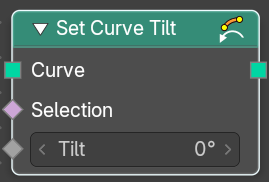
Controls the tilt angle at each curve control point.
| Entry | What it does |
|---|---|
| Input | Geometry: The input curve. · Selection: Whether or not to change the value on each control point. True values mean the value will be changed, false values mean the value will remain the same. · Tilt: The tilt rotation. |
| Outputs | Curve: Standard geometry output. |
Set Handle Positions
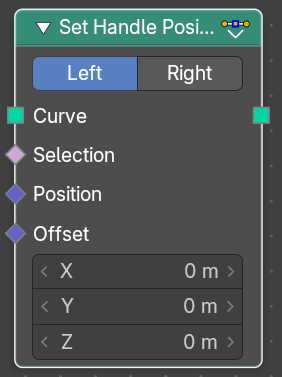
Set the handle positions of bezier curves
| Entry | What it does |
|---|---|
| Input | Geometry: The input curve. · Selection: A selection of the input curve. · Position: The position of the handle. · Offset: A vector 3 offset for the handles. |
| Properties | Mode: Left or right handles. |
| Outputs | Geometry: Standard geometry output. |
Set Handle Type
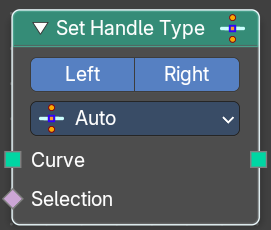
Sets a handle type for the curve points of a bezier curve. Handle types determines how the interpolation before and after the curve point happens.
Input
| Entry | What it does |
|---|---|
| Curve | The input curve. |
| Selection | A selection of the input curve. |
Properties
Mode
Left or right handles.
Handle Type
The different available handle types.
Free
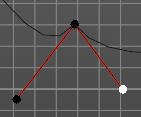
The handles can be adjusted individually.
Auto
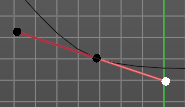
The left and the right handle will always point to each other. The length of the handles will start in equal size.
Vector
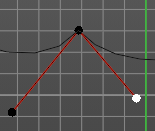
The handles can be adjusted individually.
Aligned
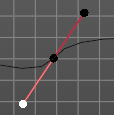
The left and the right handle will always point to each other.
Output
Curve
Standard geometry output.
Set Spline cyclic
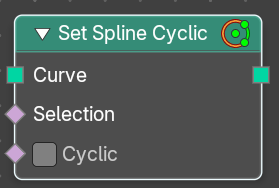
Sets the spline cyclic. Means looping.
| Entry | What it does |
|---|---|
| Input | Geometry: The input curve. · Selection: A selection of the input curve. · Cyclic: Cyclic or not |
| Outputs | Geometry: Standard geometry output. |
Set Spline Resolution
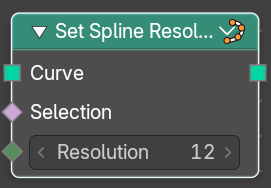
Sets the resolution of the spline. Means how many evaluated points should be generated on the curve for each control point.
| Entry | What it does |
|---|---|
| Input | Geometry: The input curve. · Selection: A selection of the input curve. · Resolution: The resolution of the spline. |
| Outputs | Geometry: Standard geometry output. |
Set Spline Type
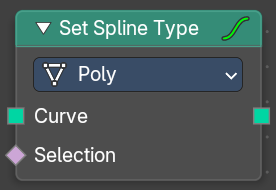
Change the curve spline type.
Input
| Entry | What it does |
|---|---|
| Curve | The input curve. |
| Selection | A selection of the input curve. |
Properties
Spline Type
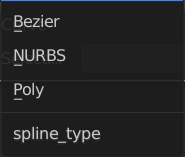
The spline type to set the curve to.
Note that when converting from a NURBS spline to a Bézier spline, at least six points are needed. When the number of points is not a multiple of three a full conversion is not possible and the spline has to be truncated.
Output
Curve
Standard geometry output.
Operations
Add - Curve
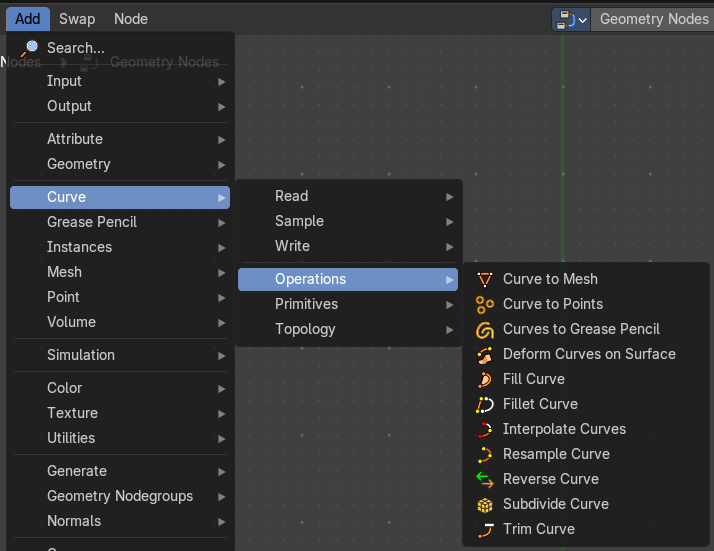
Here you find curve related nodes.
Cuve to Mesh
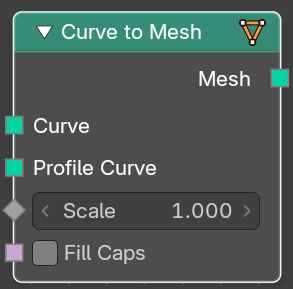
Converts a curve object to a mesh object. Optionally, a profile curve can be provided to give the curve a custom shape.
| Entry | What it does |
|---|---|
| Inputs | Curve: The input curve. · Profile Curve: If a profile curve is provided, it will be extruded along all splines. Otherwise the generated mesh will just be a chain of edges. · Scale: Scale of the profile at each point. · Fill Caps: For cyclic profile curve. Fill the ends of the generated mesh for each spline combination with an N-gon. The resulting mesh is Manifold, the two new faces for each spline are simply connected to existing edges. |
| Outputs | Mesh: Standard mesh output. |
Cuve to Points
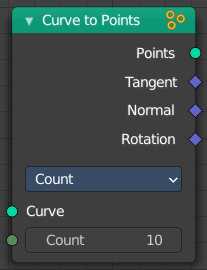
Converts a curve object to a Point cloud.
Inputs
Curve
The input curve.
Properties
Mode
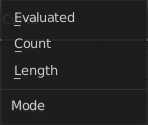
How to generate points from the input curve.
Evaluated
Create points from the evaluation points of the curve. This is based on the resolution attribute for nurbs and bezier splines.
Count
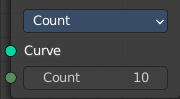
Sample each spline by evenly distributing the specified number of points along the spline.
Count Input
The number of points to distribute along the spline.
Length
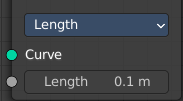
Sample each spline by splitting the spline into segments by the specified length.
Length Input
The length of the single segments.
Outputs
| Entry | What it does |
|---|---|
| Point | Generated point cloud. |
| Tangent | The normalized curve tangent at the sampled position, or the direct evaluated normal in Evaluated mode. |
| Normal | The normal value from the evaluated curve at each result point. This is the same value from the Normal Node at those positions. |
| Rotation | — |
Cuves to Grease Pencil

Converts a curve object to a mesh object. Optionally, a profile curve can be provided to give the curve a custom shape.
| Entry | What it does |
|---|---|
| Inputs | Curves: The input curves. · Selection: A selection of the curve · Instances as Layers: Create separate layers for each instance. |
| Outputs | Grease Pencil: Standard output. The Euler rotation build from the Tangent and Normal outputs. |
Deform Curves on Surface
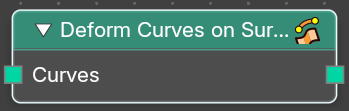
Curves that are attached to a surface can follow the surface at modification.
| Entry | What it does |
|---|---|
| Inputs | Curves: The input curve. |
| Outputs | Curves: The output curve. |
Fill Curve
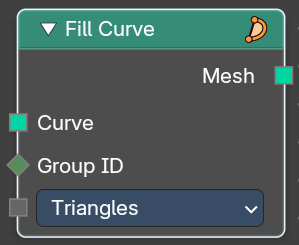
Fills the curve with mesh geometry. The mesh is only generated flat with a local Z of 0.
Inputs
| Entry | What it does |
|---|---|
| Curve | The input curve. |
| Group Input | An index used to rgoup curves together. Filling is done separately for each group. |
Mode
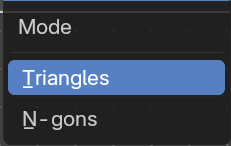
Triangles or N-gons
Fill the curve with either triangles, or use N-Gon geometry.
Outputs
Mesh
The output as mesh.
Fillet Curve
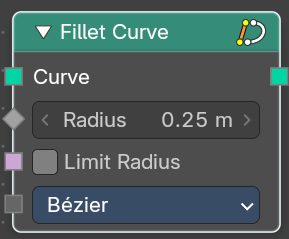
The Fillet Curve rounds corners on curve control points, similar to the effect of the Bevel Modifier on a 2D mesh.
A key difference is that the rounded portions created by the Fillet Curve node are always portions of a circle.
Input
| Entry | What it does |
|---|---|
| Curve | The input curve. |
| Count | Polymode. Define the number of vertices that are created. |
| Radius | The radius of the arc |
| Limit Radius | Prevent overlapping when the defined radius exceeds the maximum possible radius for a given point. |
Mode
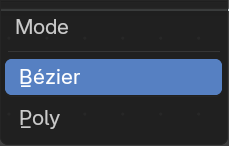
| Entry | What it does |
|---|---|
| Bezier | Creates a circular arc at vertices by changing handle lengths (applicable only for Bezier splines). |
| Poly | Creates a circular arc by creating vertices (as many as defined by the Count fields input) along the arc (applicable for all spline types). |
Outputs
Curve
Standard geometry input with a curve component.
Interpolate Curves
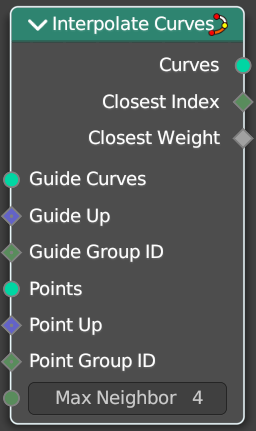
Generates new curve parts by interpolating between existing curves.
Input
| Entry | What it does |
|---|---|
| Guide Curves | The base curves to interpolate from. |
| Guide Up | An optional up vector that is typically a surface normal. Providing this up vector can improve the quality of the interpolation. This up direction can be retrieved with a combination of the Sample UV Surface Node using the same geometry that the points were distributed on, and the Normal Node. |
| Guide Group ID | Splits guides into separate groups. New curves interpolate existing curves from a single group. |
| Points | The positions of the first root control points of the newly generated interpolated curves. |
| Points Up | Optional up vector that is typically a surface normal. |
| Point Group ID | The curve group to interpolate in. |
| Max Neighbor | Maximum amount of close guide curves that are taken into account for interpolation. |
Outputs
| Entry | What it does |
|---|---|
| Curves | The new curve. |
| Closest Index | Index of the closest guide curve for each generated curve. Note that internally this node mixes the data from multiple guide curves, with the maximum number of sources depending on the Max Neighbor input. This output is only the index of the curve with the largest weight. |
| Closest Weight | Weight of the closest guide curve for each generated curve. |
Resample curve
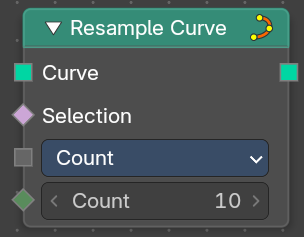
Creates a poly spline for each input spline. In the Count and Length modes, the control points of the new poly splines will have uniform spacing.
Input
| Entry | What it does |
|---|---|
| Curve | The input geometry. |
| Selection | A selection of the input geometry |
| Length | The approximate length between the control points of the new splines. |
Mode
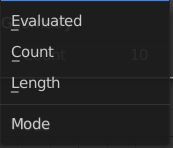
The resample mode.
| Entry | What it does |
|---|---|
| Evaluated | Use the resolution attribute for spline and bezier curves. |
| Count | Use the count of the curve points. |
| Length | Use the length of the curve. |
Count
The number of control points on the new splines.
Output
Curve
Standard geometry output.
Reverse Curve
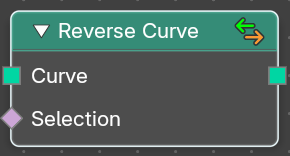
Reverses the direction of the spline. The start point becomes the end point and vice versa. The shape of the spline is not modified.
| Entry | What it does |
|---|---|
| Inputs | Curve: The input curve. · Selection: An optional selection attribute to determine which part of the spline should be reversed. |
| Outputs | Curve: Standard geometry output. |
Subdivide Curve
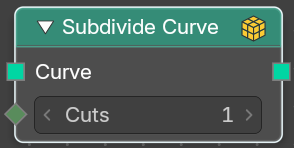
Subdivides the curve. The shape is not changed.
| Entry | What it does |
|---|---|
| Inputs | Geometry: The input curve. · Cuts: The number of cuts per segment. |
| Outputs | Geometry: Standard geometry output. |
Trim Curve
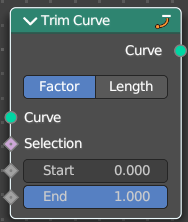
The Curve Trim node shortens each spline in the curve by removing sections at the start and end of each spline.
Bézier splines will still output as Bézier splines. The first and last control point and its handles will be moved as necessary to preserve the shape. But NURBS splines will be transformed into poly splines in order to be trimmed.
Cyclic splines are currently not supported.
Note that if the Start input is larger than the End, then the resulting spline will have a single point, located at the sample location of the Start value.
Inputs
| Entry | What it does |
|---|---|
| Curve | The input curve. |
| Selection | A selection of the curve. |
| Start | The start point of the spline, as a factor. |
| End | The end point of the spline, as a factor. |
Properties
Mode
How to find endpoint positions for the trimmed spline.
| Entry | What it does |
|---|---|
| Factor | The endpoint positions of each spline’s length is determined by a factor. The input values should be between 0 or 1. |
| Length | The endpoint positions of each spline is determined by a length from the start of each spline. The input values should be between 0 and the length of the splines. |
Outputs
Curve
Standard geometry output.
Primitives
Add menu - Curve Primitives
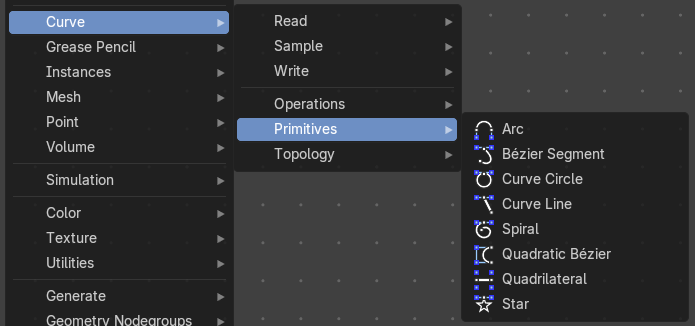
Add curve primitives in different shapes.
Arc
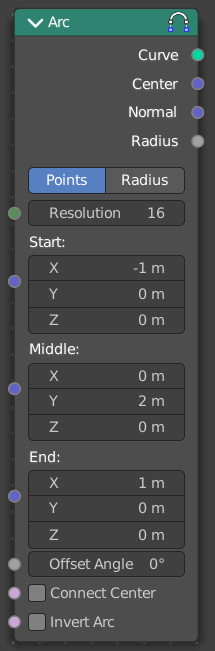
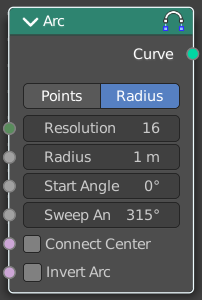
Adds a bezier curve segment in the shape of an arc
Inputs
| Entry | What it does |
|---|---|
| Resolution | The number of edges on the curve. |
| in Radius mode | Radius: Just Radius mode. The radius of the arc. · Start Angle: Just Radius mode. The start angle of the arc. · Sweep Angle: Just Radius mode. The sweep angle of the arc. |
| In Points Mode | Start: The start point vector of the ark. · Middle: The middle point vector of the ark. · End: The end point vector of the ark. · Offset Angle: The offset angle of the ark. |
| Connect Center | Connect the start and endpoins to the center. |
| Invert Arc | Inverts the arc. |
Properties
Mode
Point or Radius mode.
Radius mode (default): Generates a fixed radius arc on XY plane with controls for Angle, Sweep and Invert.
Points mode: Generates a three point curve arc from Start to End via Middle with an Angle Offset and option to invert the arc. There are also outputs for arc center, radius and normal direction relative to the Z-axis.
Outputs
| Entry | What it does |
|---|---|
| Curve | Curve output. |
| In Points Mode | Center: The center vector of the arc. · Normal: The normal of the arc. · Radius: The radius of the arc. |
Bezier Segment
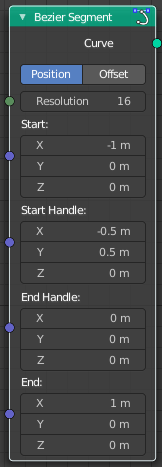
Adds a bezier curve segment.
Inputs
| Entry | What it does |
|---|---|
| Resolution | The number of edges on the curve. |
| Start, End | Positions of the start and end control point of the curve. |
| Start Handle, End Handle | Positions of the handles used to define the shape of the curve. |
Properties
Mode
| Entry | What it does |
|---|---|
| Position | The handle inputs are the absolute positions of the handles in 3D space. |
| Offset | The handle positions are relative to the control point on the curve. The handle inputs give the offset from the control points. |
Outputs
Curve
Bezier spline generated from the inputs.
Curve Circle
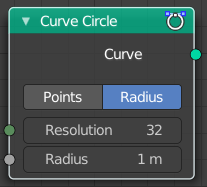
Adds a curve in circle shape.
Inputs
Resolution
Number of edges on the circle.
Radius
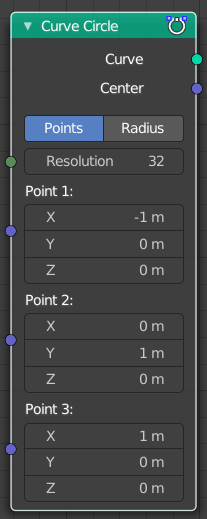
The radius of the circle.
Point 1, Point 2, Point 3
Appears when you change the method to Points. Defines three points on the circle. The order of the points determines the direction (clockwise or counterclockwise) of the circle.
Note that because of the finite resolution, the three points do not necessarily lie on the generated curve.
Properties
Mode
| Entry | What it does |
|---|---|
| Points | The position and radius of the circle is defined by three points. The center of the circle is also given as an output. If the three points lie on one line, no geometry is generated. |
| Radius | The circle is defined by the radius. |
Outputs
| Entry | What it does |
|---|---|
| Curve | Poly spline generated from the inputs. |
| Center | Appears when you change the method to Points. The center of the circle defined by the three points. |
Curve Line
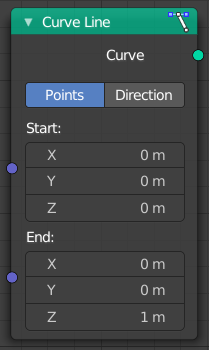
Adds a curve in the shape of a straight line.
Properties
Points
Calculates the curve by a start and end point.
| Entry | What it does |
|---|---|
| Start | The start point of the curve. |
| End | The end point of the curve. |
Direction
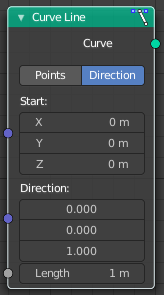
Calculates the curve by a start point, a direction vector and the length of the curve.
| Entry | What it does |
|---|---|
| Start | The start point of the curve. |
| Direction | The direction vector. |
| Length | The length of the curve. |
Outputs
Curve
The created curve.
Spiral
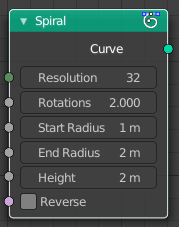
Adds a curve in spiral shape. By default the spiral twists clockwise.
| Entry | What it does |
|---|---|
| Inputs | Resolution: Number of edges for each full rotation. · Rotations: Number of times the spiral makes a full rotation. · Start Radius, End Radius: Radius of the start point and end point of the spiral. The radius of the spiral changes linearly between the two values over the whole spiral. · Height: Height of the spiral. · Reverse: Boolean value that changes the direction from clockwise to counterclockwise when turned on. |
| Outputs | Curve: Poly spline generated from the inputs. |
Quadratic Bezier

Adds a curve from the given control points. The generated shape is a parabola.
| Entry | What it does |
|---|---|
| Inputs | Resolution: The number of edges on the curve. · Start, Middle, End: Positions of the three control points. The generated curve passes through the two end points, and is tangent to the lines between the middle point and the two end points. |
| Outputs | Curve: Poly spline generated from the inputs. |
Quadrilateral
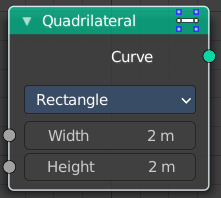
Adds a curve in different geometric shapes.
Note that the names does not necessarily fit to the generated geometry.
Input
The input nodes may vary. See Properties.
Properties
Mode
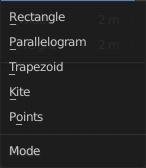
Rectangle

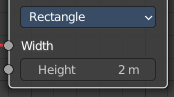
creates a straight line in y direction.
Width
The length of the straight line.
Parallelogram
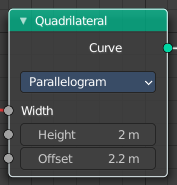
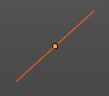
Creates a straight line that is adjustable in x and y direction.
| Entry | What it does |
|---|---|
| Height | The height of the line. |
| Offset | The width of the line. |
Trapezoid
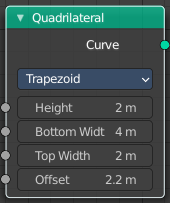
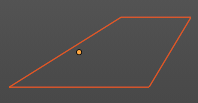
| Entry | What it does |
|---|---|
| Height | The height of the trapez. |
| Bottom Width | The width of the bottom line of the trapez. |
| Top Width | The width of the top line of the trapez. |
| Offset | The offset of the top line of the trapez. |
Kite
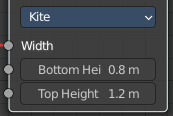
creates a straight line in y direction. The curve end points are separately adjustable
| Entry | What it does |
|---|---|
| Bottom Height | The length of the bottom part of the line. |
| Top Height | The length of the top part of the line. |
Points

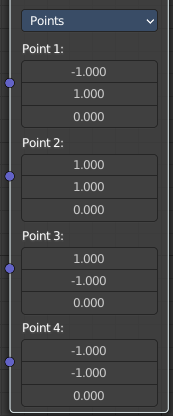
Creates a rectangle. Each point of the rectangle is independantly adjustable in x, y and z position.
Star
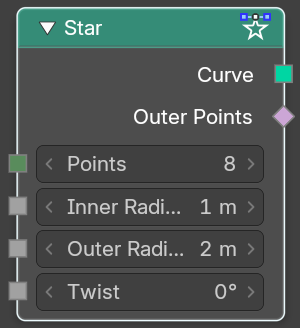
Adds a curve in star shape.
This is done by connecting alternating points of two circles. The points on the inner circle are offset by a rotation so that they lie in between the points on the outer circle. This offset can be changed with the twist input.
| Entry | What it does |
|---|---|
| Inputs | Points: Number of points on each of the circles. · Inner Radius, Outer Radius: Radii of the two circles. The inner radius can be bigger than the outer radius. · Twist: Angle offset of the inner circle. The twist value rotates the points on the circle corresponding with the inner radius counterclockwise by the given angle. |
| Outputs | Curve: Poly spline generated from the inputs. |
Topology
Add menu - Curve Topology

Curve topology related nodes.
Curve of Point

Retrieve the curve of which the control point is part of.
| Entry | What it does |
|---|---|
| Inputs | Point Index: The point index of the curve. · Offset: Offset of the point index. |
| Outputs | Curve Index: The curve of which the control point is part of. · Index in Curve: How far along the curve the control point is. |
Offset Points in Curve
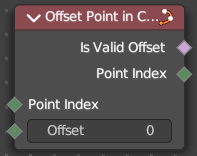
Offset a control point index in the curve.
| Entry | What it does |
|---|---|
| Inputs | Point Index: The point index of the curve. · Offset: Offset of the point index. |
| Outputs | Is Valid Offset: Outputs true if the evaluated controlpoint plus the offset is a valid index. · Point Index: The index of the control point plus the offset. |
Points of Curve

Retreive a point index within a curve.
| Entry | What it does |
|---|---|
| Inputs | Curve Index: The curve to retreive the data from · Weights: Values to sort the curve points. · Sort Index: The point to output. |
| Outputs | Point Index: The output point. · Total: The number of points in the curve. |