































































































View & accessibility
Thumbnails
Motion
Work in progress
Moving to the new design

This page is being rebuilt

We are moving the Bforartists site to its new design. This page keeps its address and its content returns soon. Until then, these are up to date:

Tool Shelves

Chapter Title (h2)

  1. Update Breadcrumb links and icons, and titles
  2. Update Page section title (h1)
  3. Update Chapter titles. Duplicate when necessary (h2)
  4. Use rich text or chunks for nested hierarchies with headers (h3, h4, h5, h6)
  5. Use quotes for tips
  6. Insert images with Rich Text blocks

About Chapters (h2)

Chapter Section(h3)

This is where you would list sections of the chapters.

Section Header (h4)

This is where you would list the sub-sections.

Section Sub-header (h5)

This is where you would list sub-headers of the sub-sections.

Section Sub-Sub-header (h6)

Deepest level of hierarchy.
Second Section (h1)

Another Chapter(h2)

Inserting Images

You can also add captions to images

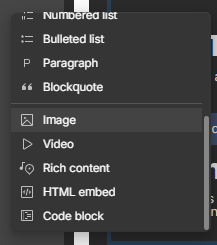
On a new line, a plus icon will show. Click on it then you can upload an image. Then float it left or make it full width, whatever works.

Using Tips

To add a tip, use a quote.

This is a quoted tip. Images align with the current sentence if added before the sentence a line above.

‍

‍

‍

Creating new page sections

The div that says "Copy Me" is the way to do it. Duplicate and the rest are symbols. The aread inside blog_content-wrapper is how things continue.

Third Section (h1)

About duplicating sections (h2)

Make sure titles are unique

On a new line, a plus icon will show. Click on it then you can upload an image. Then float it left or make it full width, whatever works.

To add a tip, use a quote.

This is a quoted tip. Images align with the current sentence if added before the sentence a line above.