



























































Introduction

Documentation Process
Documentation is built as pages with sub-sections to cover more ground while not navigating too deep. This allows the user to navigate in a modular way while remaining relative to a central index. The documentation also is designed to explain what is every operator, every property, every panel, every tool, and why it exists. This does not cover how to use the tool - those are covered in quick start guides.
Update Process
To update the documentation, you may need to make a page from the documentation template, and then populate it with content. The Section Table of Contents is dynamic, only the breadcrumbs and chapter titles and content needs to be manually updated. Formatting and styling should be handled by the website.
In general, you will be adding text, headings and images (in Rich Text blocks), and copying chapter title symbols in green and entire wrappers for sections of pages (a bit like a new h1 group).
Example:
- Update Breadcrumb links and icons, with unique title of the page and links. Update the Page Title (green).
- Go into the div (copy me) blog_layout_wrapper, or copy this for a new page section with sub-chapters.
- Update the Chapter Title symbol (green) title, it has to be unique
- Add content either with a Rich Text block or Heading and Paragraph content or a mix of both inside the wrapper.
- Add new chapter Chapter Titles symbols (green). Duplicate when necessary (h2). Repeat step 4.
When you are done, and you want another section to the page with a new group of chapters, copy the wrapper.
Formatting Tips
- Use nested heading hierarchies with headers (h3, h4, h5, h6) to explain interface depth of functionalityy.
- Use quotes for tips and extra information
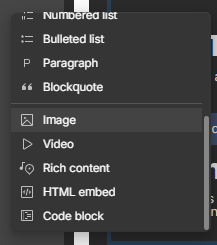
- Insert images with Rich Text blocks
About Headings (h2)
This H2 Chapter Titles symbol (in green) is what you can copy for new chapters. They are sticky headers for users to keep track of what chapter they are on.
It is important that each header is unique to work with the dynamic Table of Contents (TOC) to the right.
Chapter Section(h3)
This is where you would list sections of the chapters, like panels or top level menus.
Section Header (h4)
This is where you would list the sub-sections, like operators or sub-panels.
Section Sub-header (h5)
This is where you would list sub-headers of the sub-sections, like operator properties or sub-panel operators or properties.
Section Sub-Sub-header (h6)
Deepest level of hierarchy, like sub-panel operator properties.