
































































Interface

Tool shelf
Some editors have a Tool Shelf at the left side. This tool shelf contains the tools. It can be resized by dragging. It can be closed and opened.
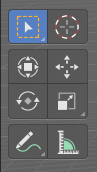
Some editors have a Tool Shelf at the left side. This tool shelf contains the tools. It can be resized by dragging. It can be closed and opened.
Opening and closing by menu and hotkey

The view menu provides you with menus to close and to open the Tool shelf.
It also shows the hotkey.
Resize
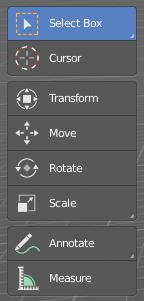
You can grab the border and drag the Tool Shelf and the Properties Sidebar to the left or to the right to expand or to close it.
The tool shelf shows a special behavior when you drag it bigger. Then the icon buttons becomes text buttons.
Open Tool Shelf by Plus Button

When a sidebar is closed then you will see a little plus button. When you click at this button then the sidebar will reappear.